Create a Linked Facility for Memberships
Last updated: May 10, 2026
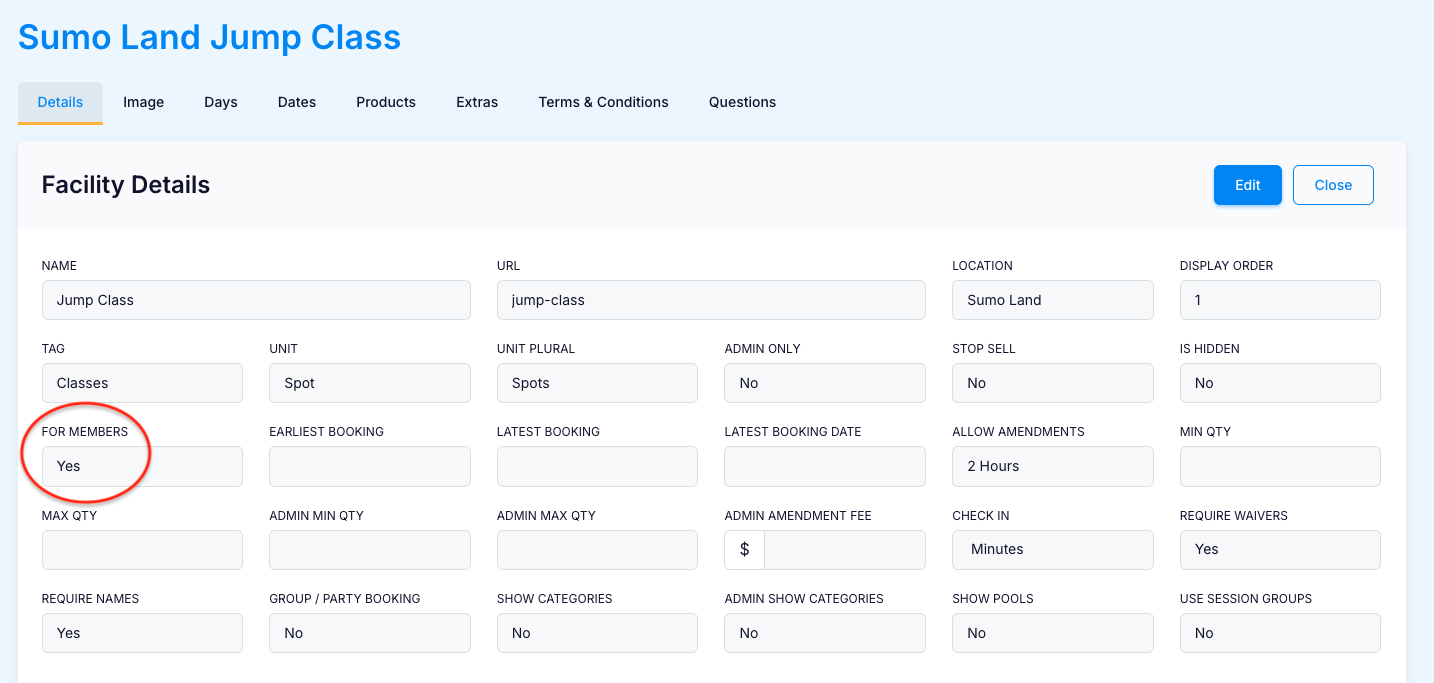
You can link memberships to a member-only FACILITY by setting the "FOR MEMBERS" variable to "YES" within the facility. This is ideal for restricting access to classes or limited-availability sessions available exclusively for members.
Go to:
Operations > Facilities
Click:
+ New Facility
Configure the Members Only Facility:
To create a Facility, follow the Operations - Facilities guide.
Specifically for a Members Only Facility, the setting For Members must be YES
View on the Booking Site:
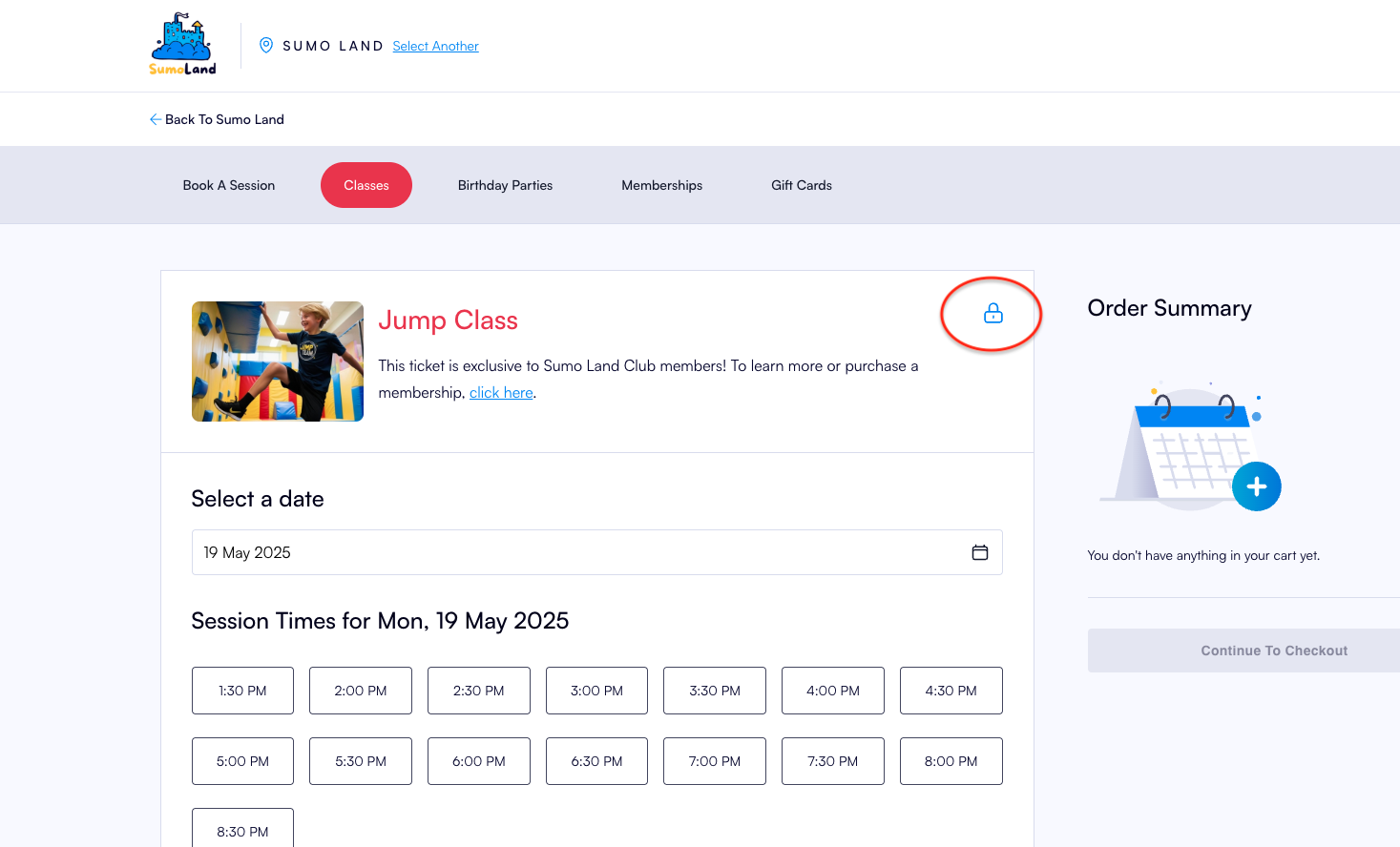
Facilities created with For Members = Yes will be displayed online with a lock symbol:
Link to a Membership:
Create Membership Benefits with Linked Facilities to link the Member-only Facility to a membership product.
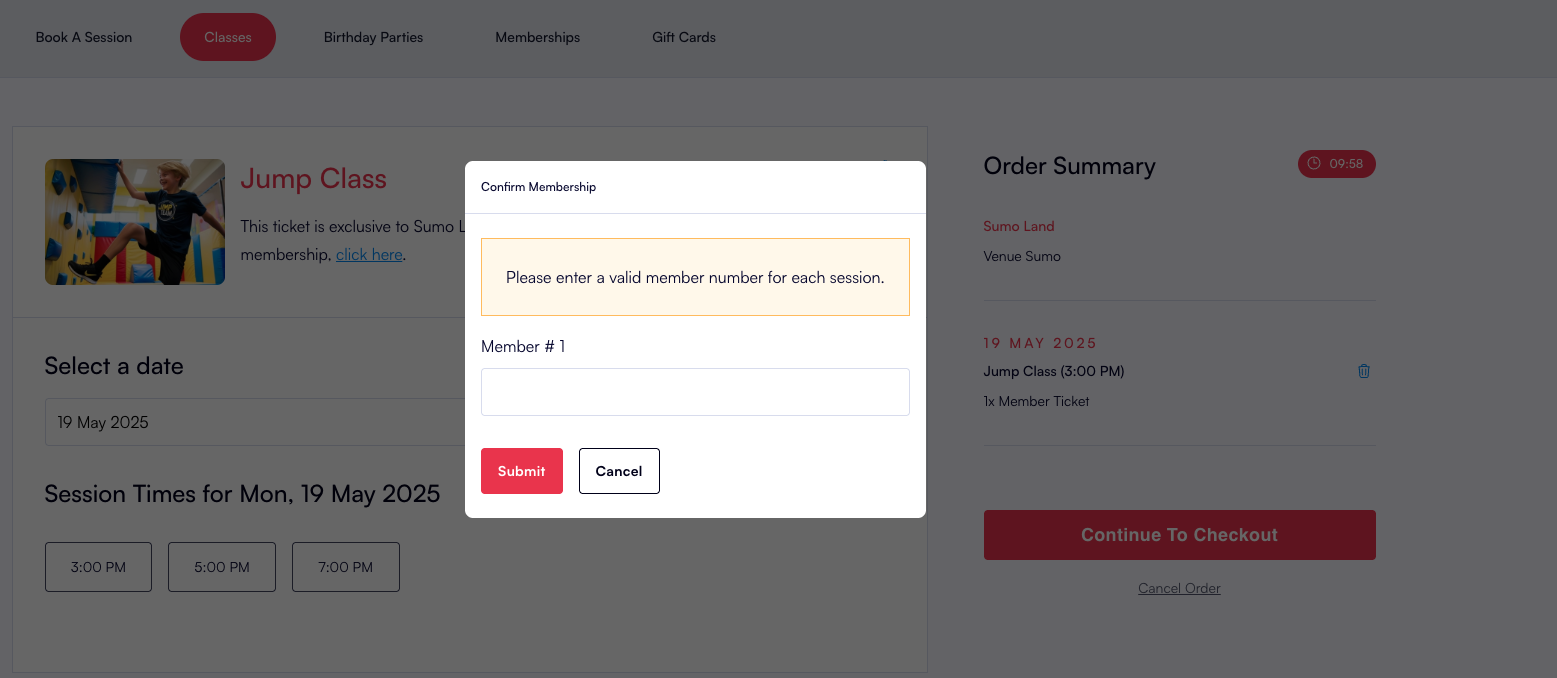
Members who have purchased a Membership with the linked facility use their Member Number to book the facility: