Create a Membership Product to sell
Last updated: May 10, 2026
Memberships can be a one-time, non-renewing payment or a recurring plan with automatic renewals (e.g., weekly, monthly, or annually). Once activated, payments will be processed on the defined schedule. This document explains how to create a basic membership product.
Go to:
Operations > Memberships
Not found?
Follow this guide for assistance How to activate Memberships
Click on:
+ New Membership Product
Fill in the relevant fields:
For a detailed guide, refer to Operations - Memberships
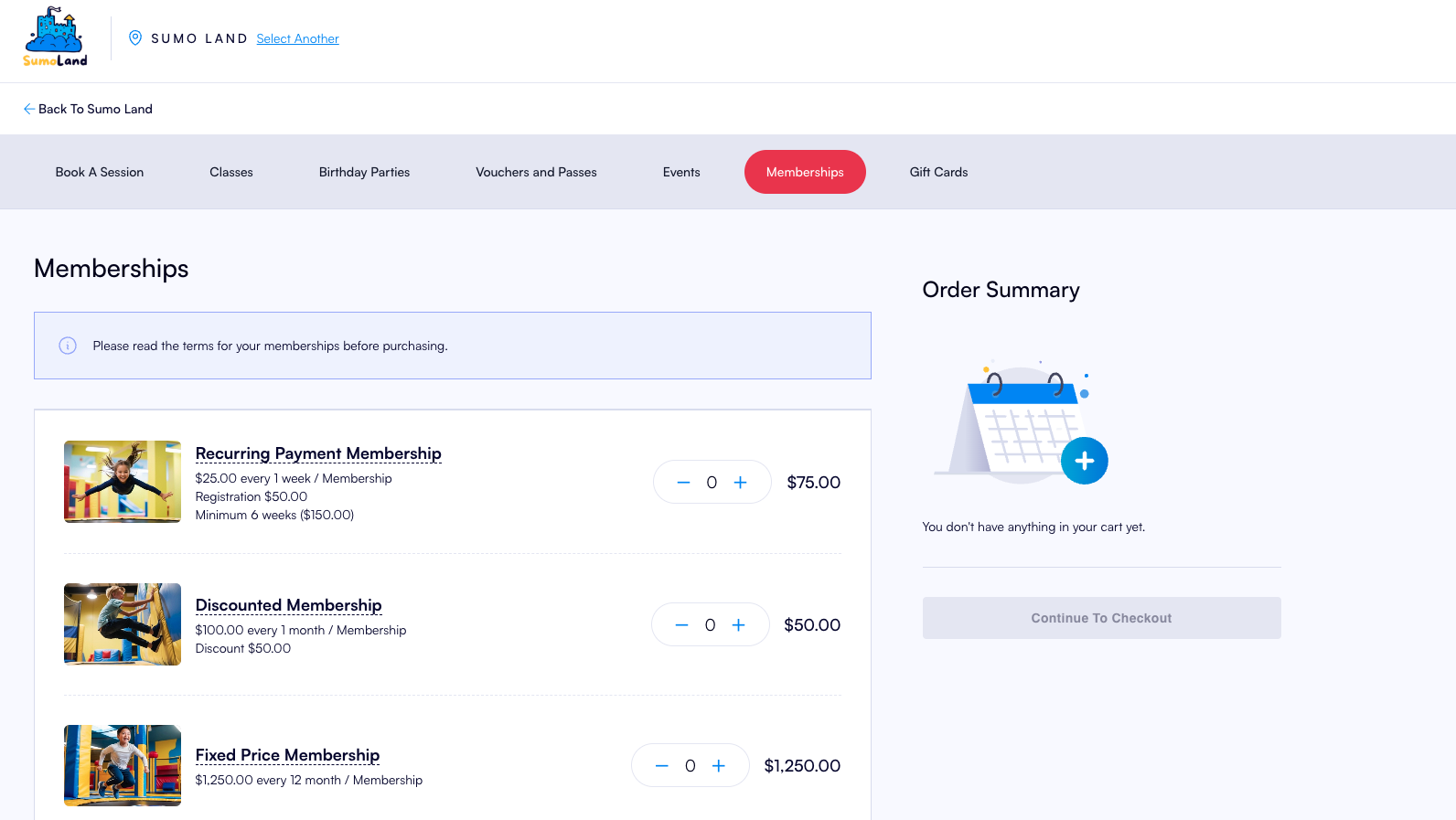
For a Recurring Membership:
Payment Frequency = How many times payment will be taken weekly or monthly
For a Fixed Price Membership:
Payment Frequency = 12 Months (or the period of the fixed price membership)
Maximum Payments = 1
Save:
Click Save to create the Membership Product
Add an Image:
To add an image, save the product first, then scroll to the bottom of the page and click the Upload Image button.
Minimum dimensions for image are 320 x 240 px
Click on Drop your image here and upload an image from your computer
Confirm:
Press the Confirm button
How will it look?