Create a 10% Single-Use Birthday Party Discount for Members
Last updated: May 10, 2026
Go to:
Operations > Discounts
Complete the fields:
Refer to the Operations – Discounts guide for full details on each discount setting.
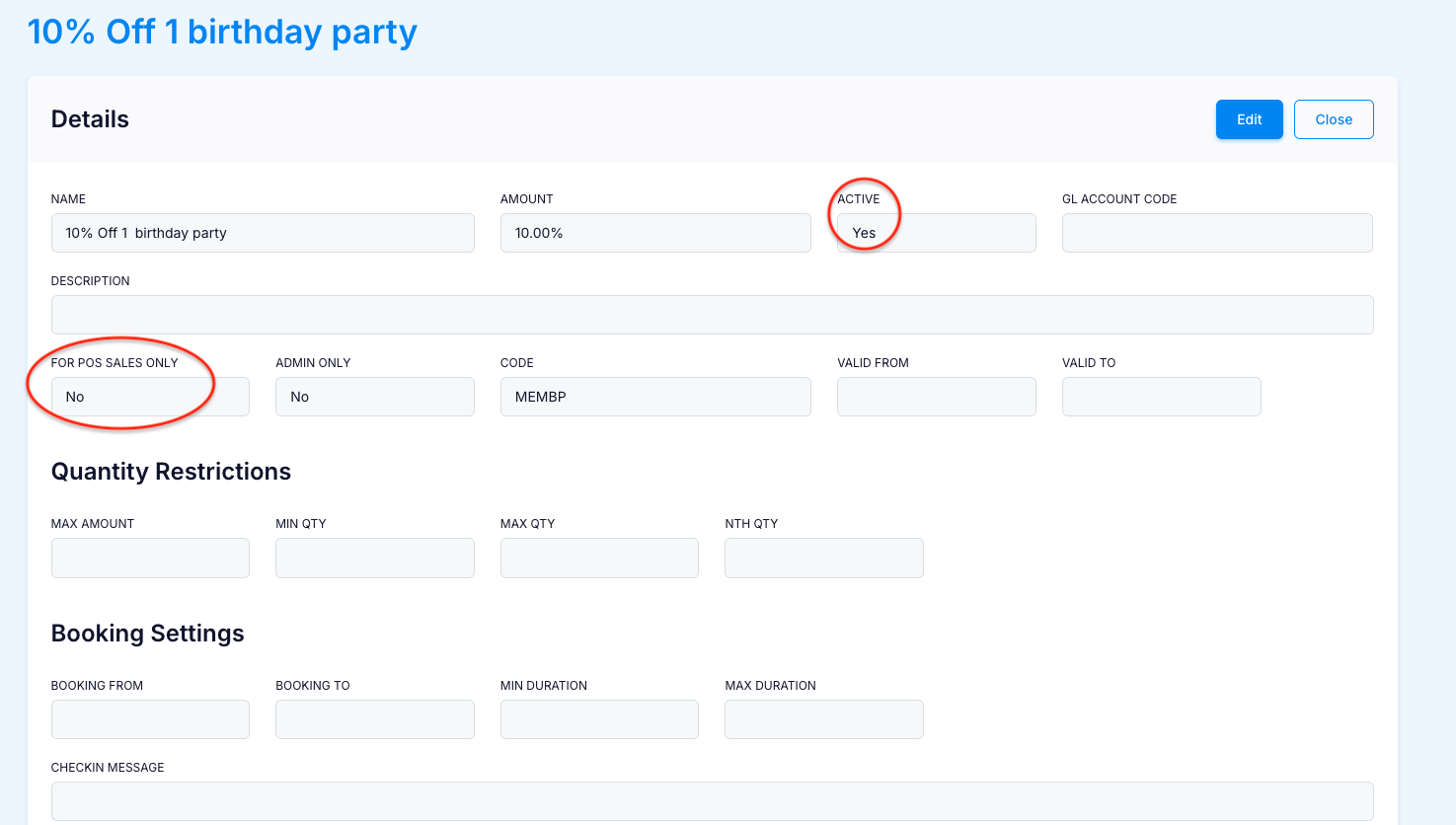
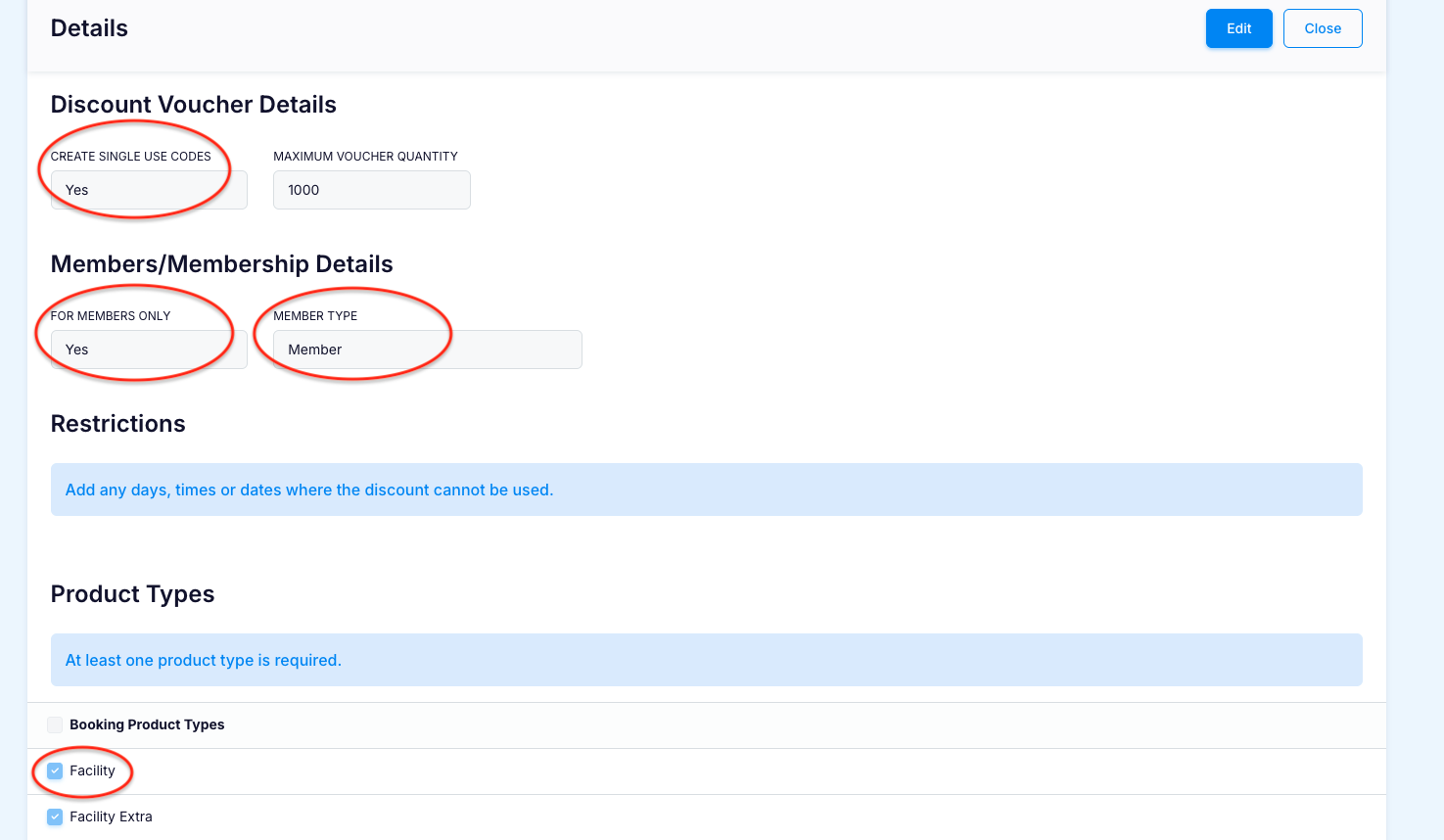
For this specific discount, the following settings are required:
- Name = 10% Off 1 birthday party
- Amount = 10%
- For POS Sales Only = NO
- Create Single Use Codes = YES
- For Members Only = YES
- Member Type = Member
Booking Product Types = Facility
- Click on SAVE then:
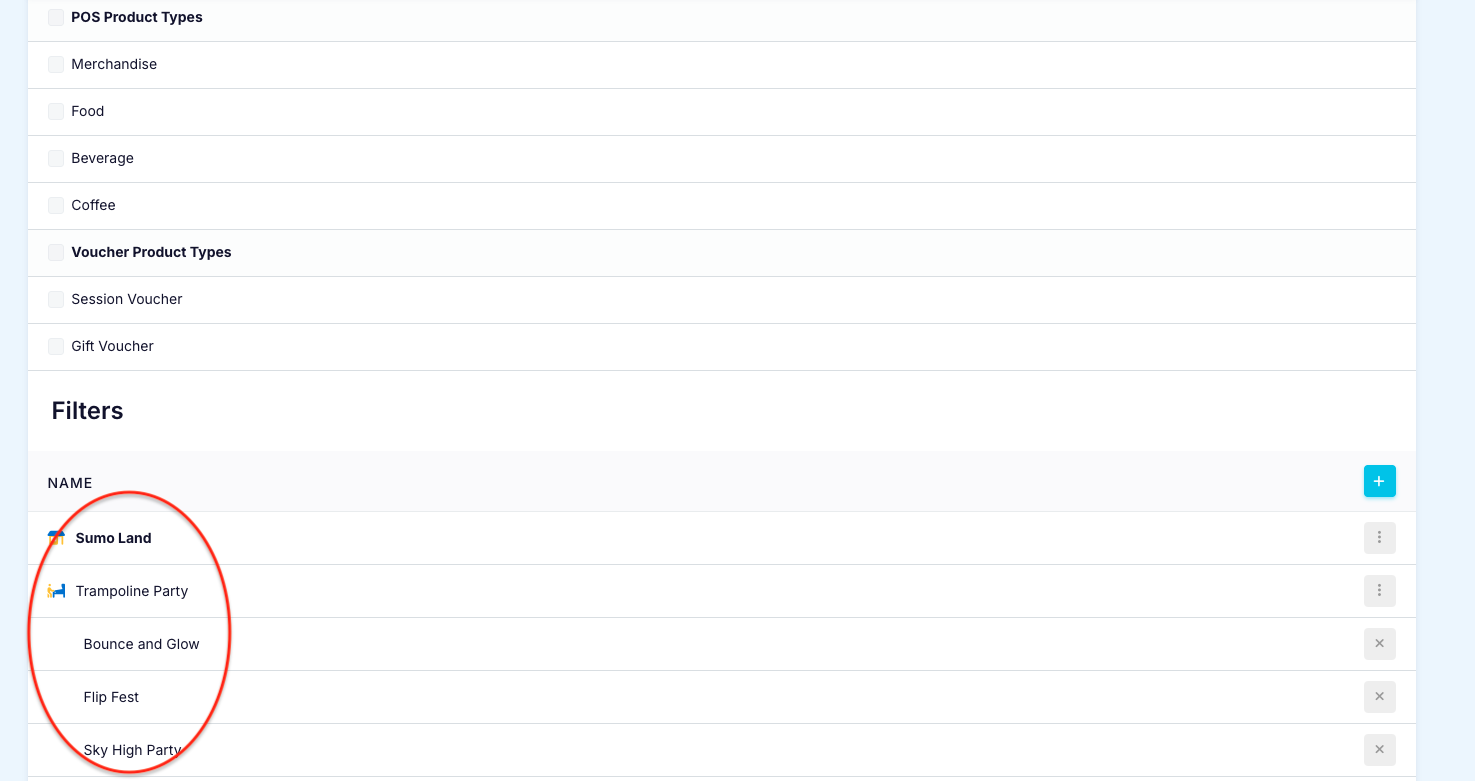
- Add the Location
Add the Facility and Products the single-use discount can be applied to.
Link the Discount to the Membership:
Find the relevant Membership Package and add the discount in the Linked Discounts section.
Sell the Membership:
Customers who purchase this Membership will receive 1 x 10% Birthday Party Discount.
A unique Discount Code will be shown in their Membership Order.

Redeem using Customer ID:
At checkout, the customer enters their Customer ID in the Add Voucher or Promo Code field.
The discount will apply automatically.
Redeem using Discount Code:
Alternatively, the customer can enter their unique Discount Code in the same field at checkout.
The discount will be applied automatically.