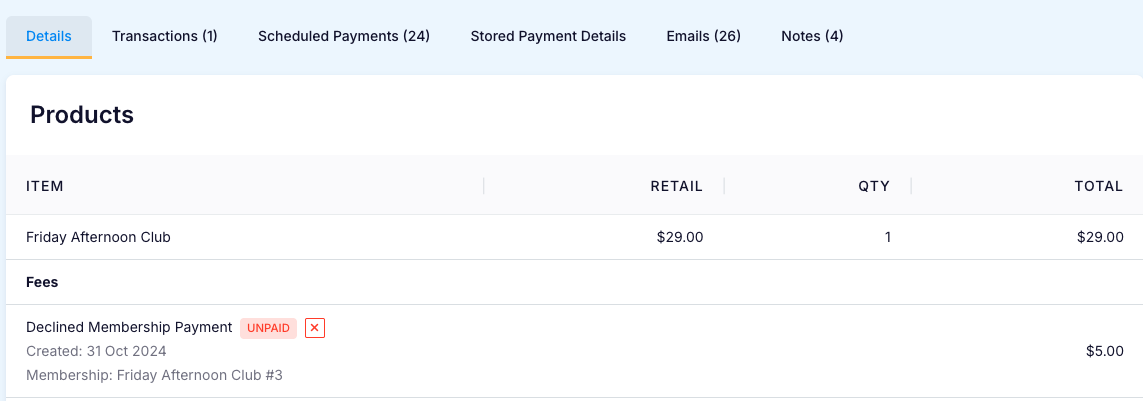
Create a Declined Membership Payment Fee
Last updated: May 10, 2026
Charging a Declined Membership Membership Pause fee is optional.
If a membership payment is declined, the system will automatically retry. After a second failed attempt, the fee will be automatically added to the order and processed in the next payment run.
Go to:
Settings > Fees
Click on:
New Fee
Set Type:
Declined Membership Payment
Other Variables:
You can configure whether the fee is a fixed amount or a percentage, and apply it as a flat fee or based on a time interval (per day, week, or month).
See the Settings – Fees article for details on each setting used when creating a new fee.
Example:
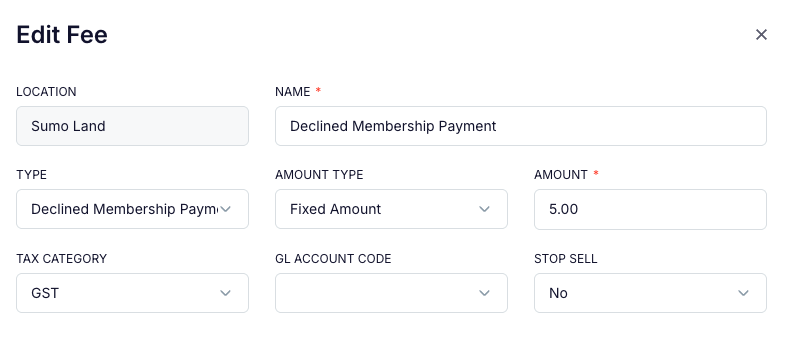
This Declined Membership Payment Fee will be a $5 Flat Fee that is applied once each time a membership payment is declined:
The Fee will be displayed in the Membership Order, and can be deleted if necessary: