How to Create a Notification Message
Last updated: May 10, 2026
Creating a notification message for an online cafe ordering facility helps keep customers informed about important updates, such as wait times or availability, ensuring a smooth and transparent ordering experience.
Navigate to Operations —> Notification Messages select the location and click New Message:

Field Variables Explained
Details
| Active | |
| Message |
Filters
| Display On | Public Admin POS |
| Facilities | |
| Events | |
| POS Facilities |
Dates
Write the message in the MESSAGE field, then within the Filters section, click on POS FACILITIES to add the POS Facility where you wish to display it:

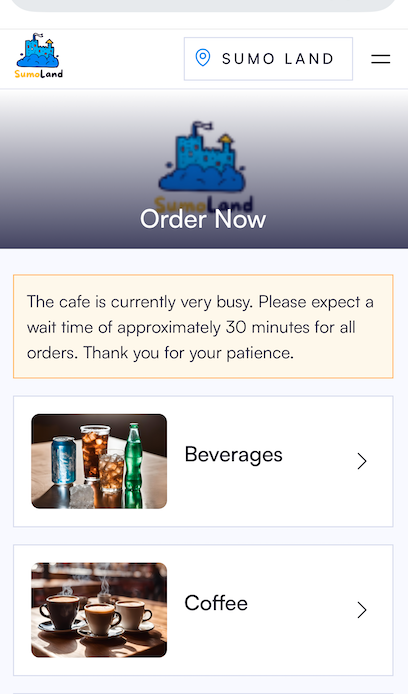
How will it look?