How to add a ticket holder to a booking
Last updated: May 9, 2026
You can add a ticket holder to a Booking by clicking the blue "Add ticket holder" link.
This will popup the "Add ticket holder" search form.
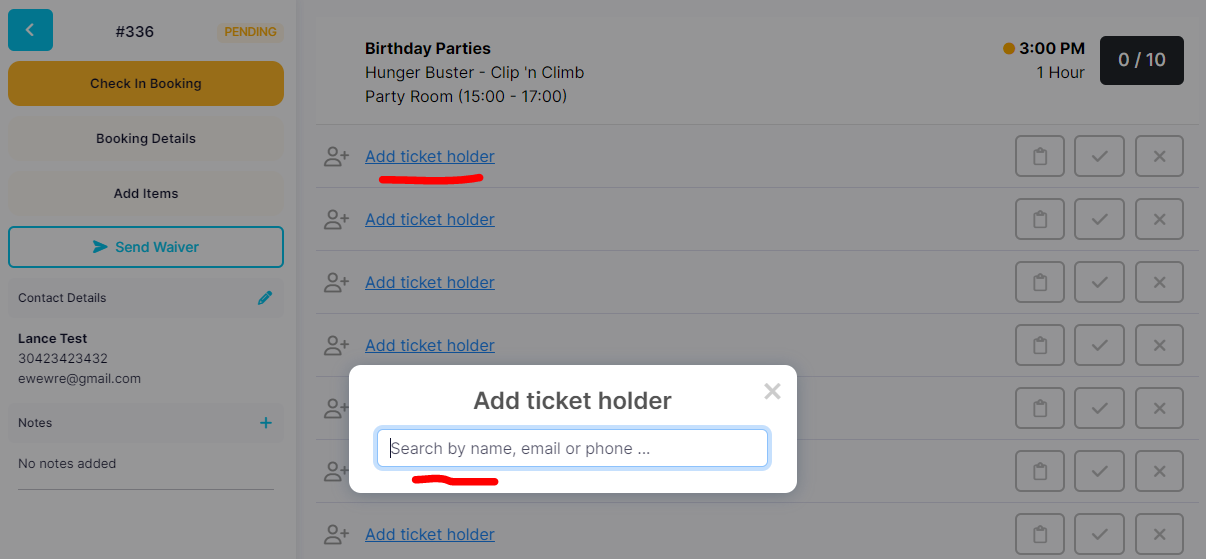
Ask the ticket holder for their name.
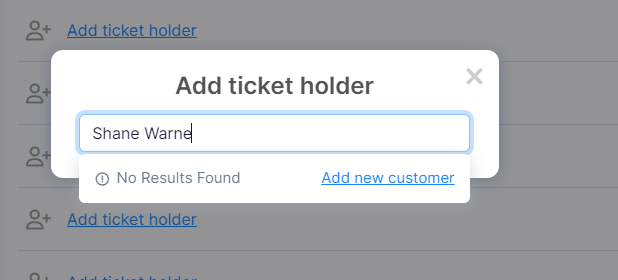
If they have not visited your venue before you will see "Add new customer" link which you can click.
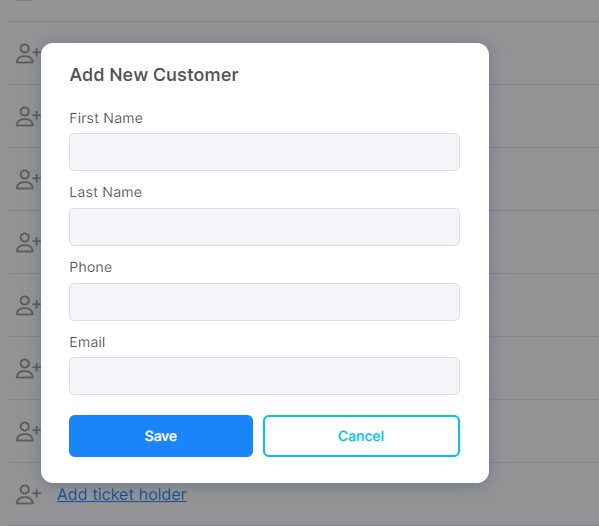
This will prompt you to enter First Name, Last Name, Phone and Email.
First Name is required.
Last Name is required.
If the guest has been a customer at the venue previously, when you begin to type the name results will appear from the search.
Clicking the name, will instantly add the ticket holder.
