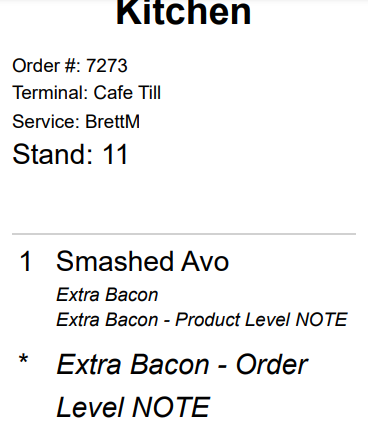
How to POS attributes and notes display on the dockets
Last updated: May 10, 2026
This article is to help you understand the POS dockets display of attributes, product level notes and order level notes.
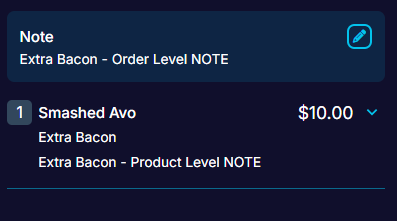
See the below example where:
- Order level notes = "Extra Bacon - Order Level NOTE"
- Product level notes = "Extra Bacon - Product Level NOTE"
- Attribute = "Extra Bacon".
Below is the order which they will print on your dockets, in this example they are printed to the "Kitchen" printer group.