How to login to your POS
Last updated: September 24, 2026
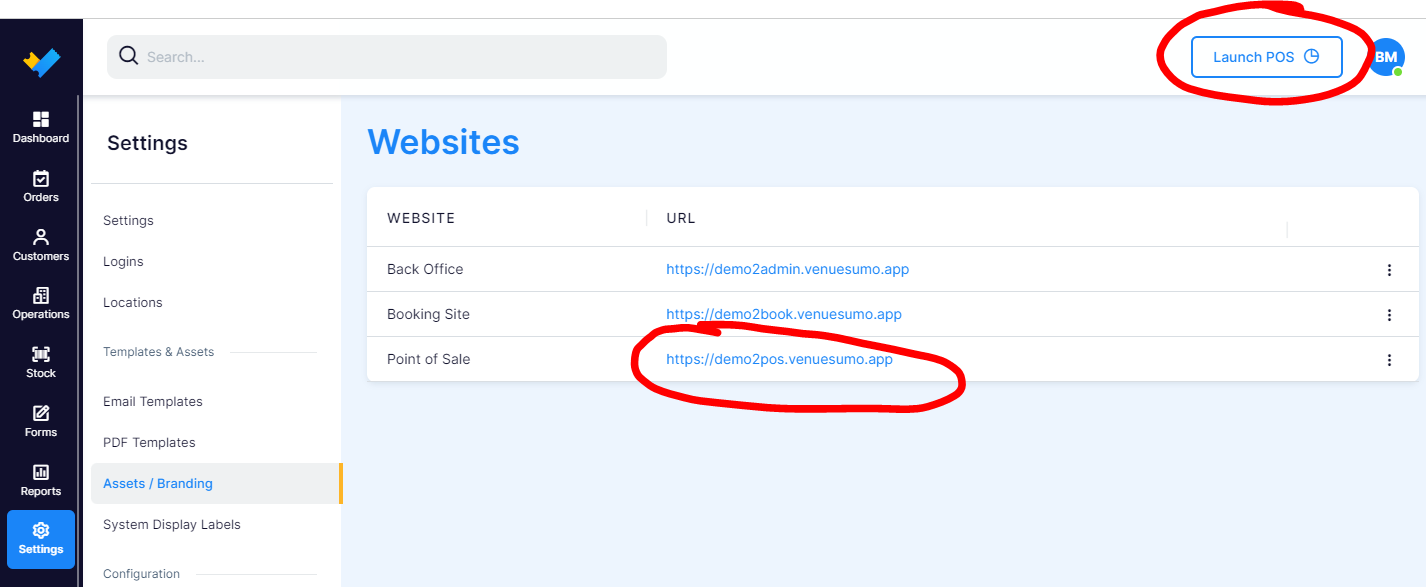
You can find your unique URL for your POS by logging into your Backoffice account.
Then go to "Settings" > "Assets/Branding".
You can use the link related to "Point of Sale" and "URL" or you could click the "Launch POS" button.