How to book Member Only Facilities online
Last updated: May 9, 2026
- Customer books on preferred booking device
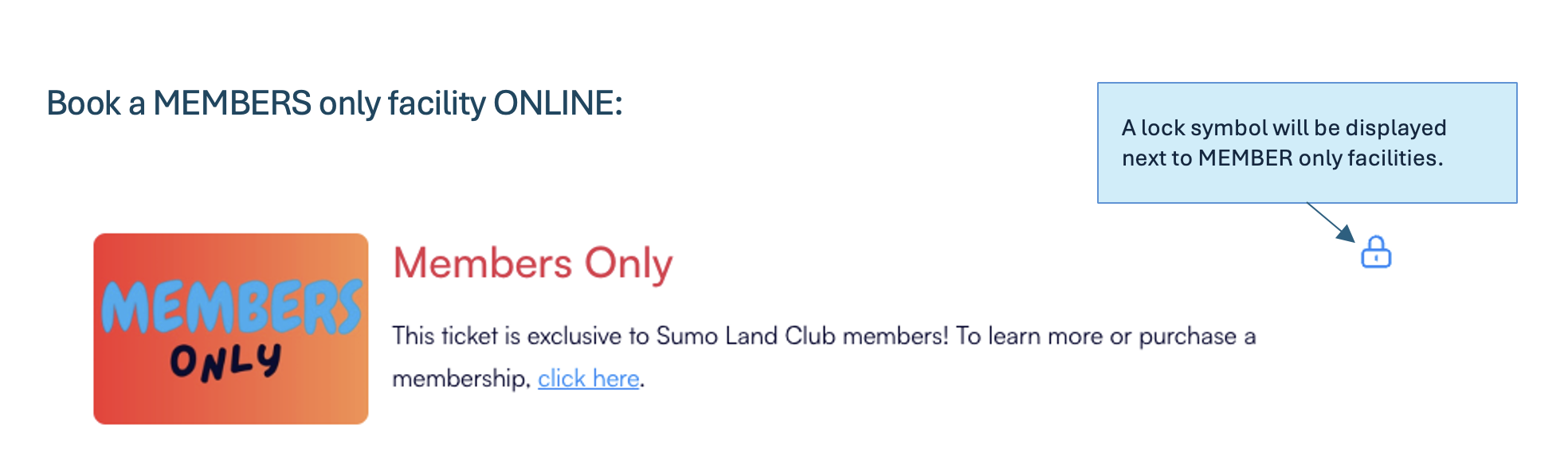
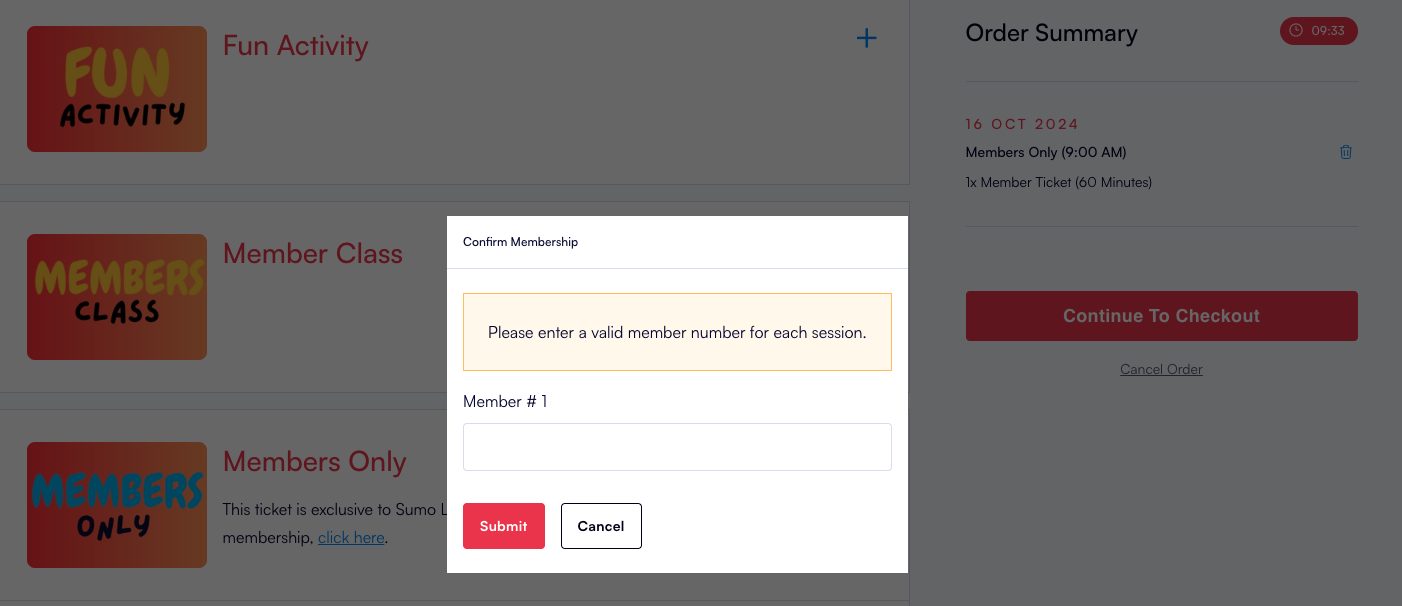
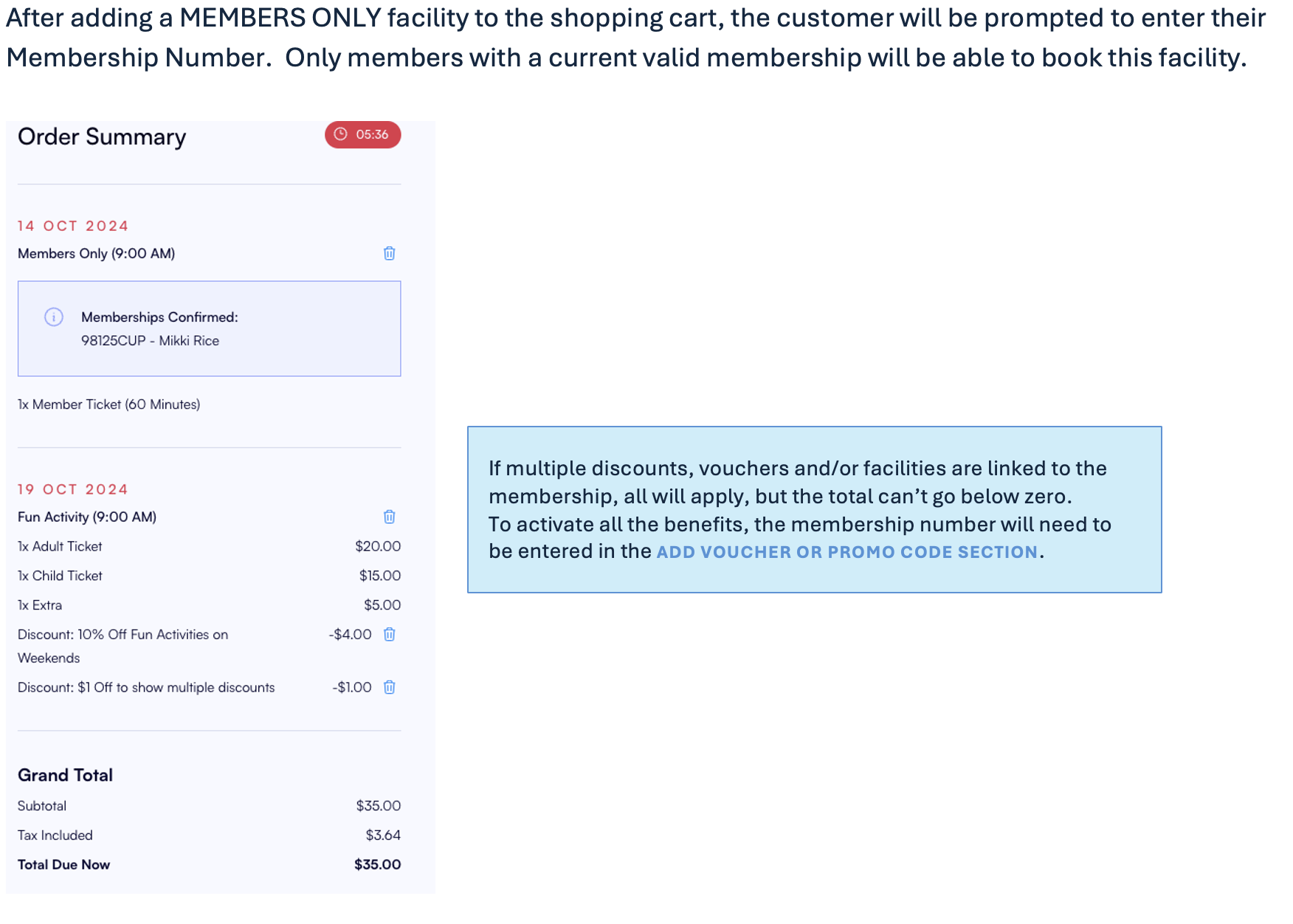
- After adding a MEMBERS ONLY facility to the shopping cart, the customer will be prompted to enter their Membership Number. Only members with a current valid membership will be able to book this facility.
- If the customer adds any additional facilities and extra’s to the shopping cart and they wish to use a membership discount and/or voucher, the membership number will need to be entered in the Add Voucher or Promo Code section.
- If multiple discounts, vouchers and facilities are linked to the membership, all relevant ones will apply, but the total can’t go below zero.
- When the customer presents at the venue to check in, the POS Operator will be prompted to confirm the use of the membership for the booking.
If the SET LIMIT is set to YES and the limit has been exceeded the customer will get this error:
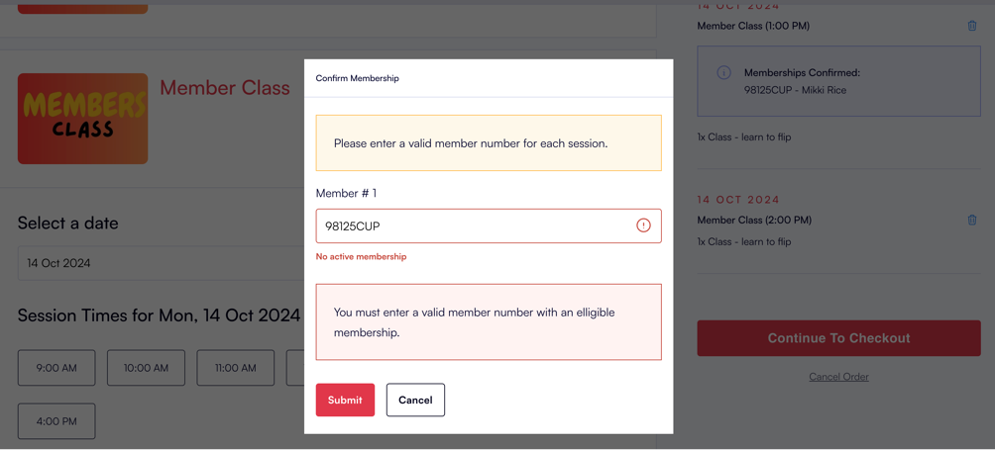
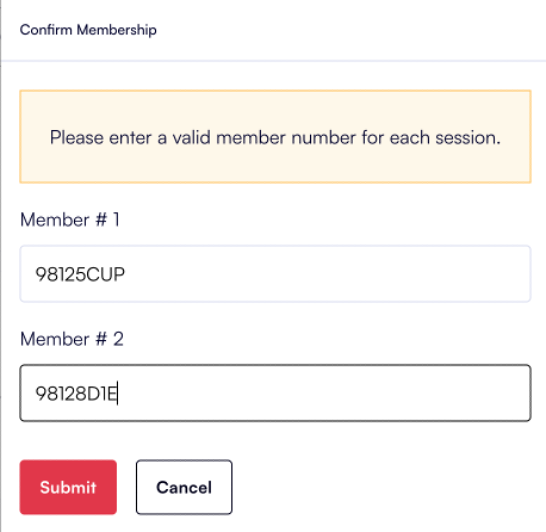
If a customer wishes to book 2 member only sessions, and they hold 2 separate memberships (could be for 2 minors, or partners), this can be done in the same transaction online. The customer will be prompted to enter the 2 unique membership numbers:

When a POS Operator checks in the Member, a photo identifying the member/s will be displayed:
