How to find, cancel, refund or print past Orders
Last updated: October 16, 2026
Finding past orders
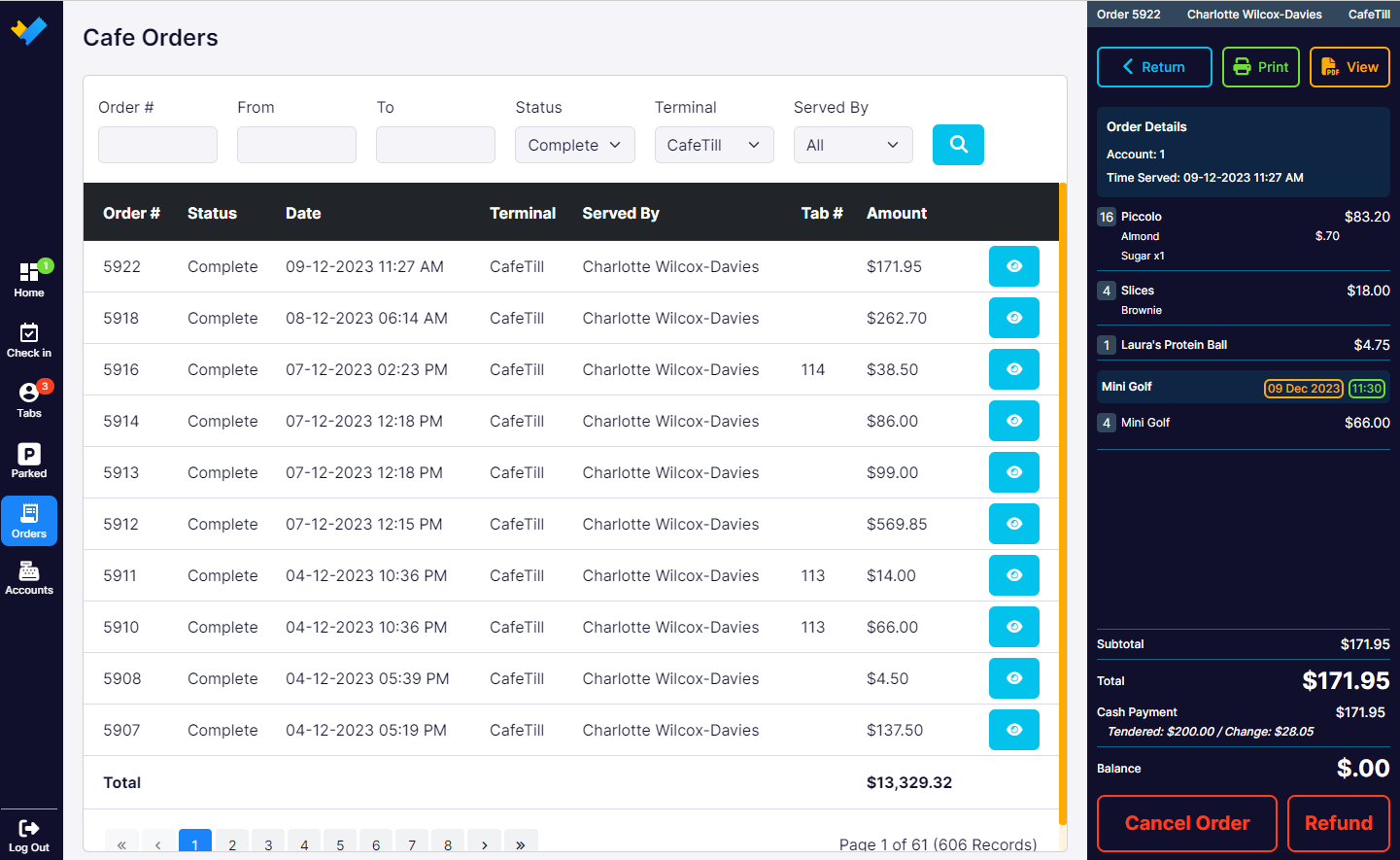
Click the Orders icon on the right sidebar of the POS to see your past orders. You can filter the list by fields such as Status, Terminal or Served By to find a particular order.
From an order you can:
Print: reprint a receipt for the order, or counter/kitchen dockets.
PDF View: view the receipt or dockets on screen.
Cancel Order: requires a supervisor PIN.
Refund: records a manual refund. Requires a supervisor PIN.
Which refund should I use?
Before refunding, check how the sale was paid:
How the sale was paid | How to refund |
|---|---|
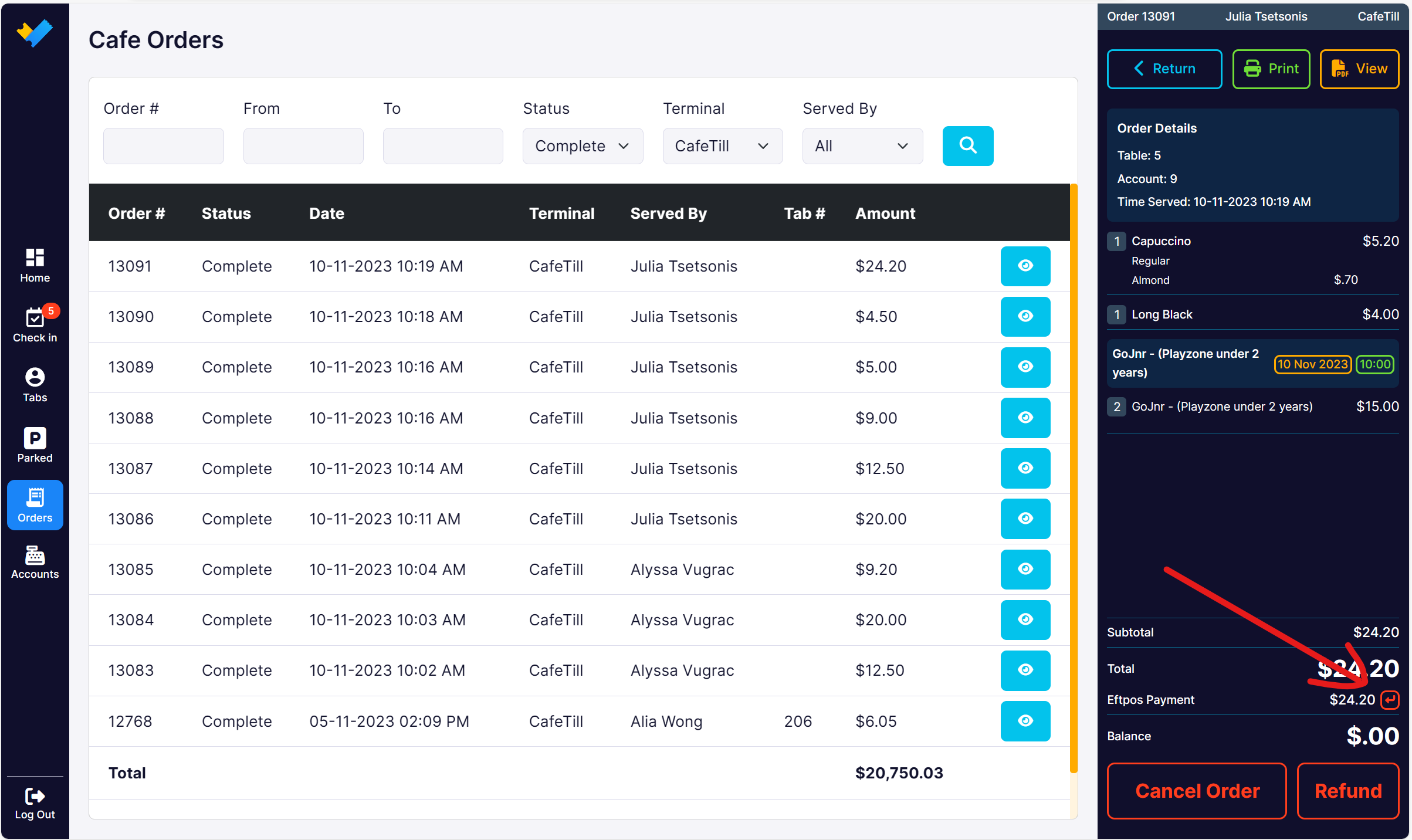
Card on an integrated payment terminal (the payment line shows a red arrow) | Terminal refund using the red arrow. See Refunding payment terminal transactions below. |
Cash, or you want to refund a different way (for example cash instead of card) | Manual refund using the Refund button. |
Manual refunds
The Refund button records a manual refund. It does not send money back to a card, so don't use it for terminal card refunds.
Click Refund and enter the supervisor PIN.
Enter the Refund Amount, up to the Max refund amount for the order.
Select the Payment Method and click the blue Refund button.
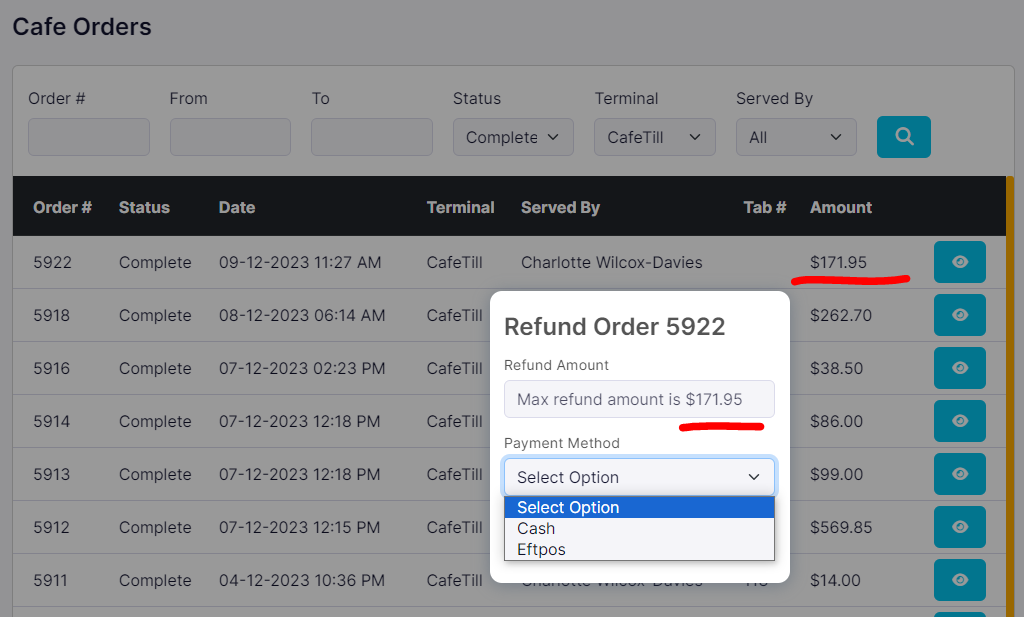
When the refund is added successfully, you'll see a confirmation and the order payment updates.

Refunding payment terminal transactions
Use this when the sale was paid by card on an integrated card reader. The refund goes back through the payment terminal.
In the POS, open Orders and select the sale.
Click the red arrow next to the card (FPOS) payment line. Don't use the Refund button.
Enter the refund amount and click Refund.
Follow the prompts on the terminal. Depending on your payment provider and terminal setup, the customer may need to be present to tap, insert or swipe their card.
Note: If you use VenueSumo Payments (Adyen), the refund may go straight back to the customer's original card without the customer needing to be present.