How to add a new message
Last updated: May 9, 2026
Some venues want to display messages like upgrades, deals etc. Adding a system message on your booking site is easy via VenueSumo.
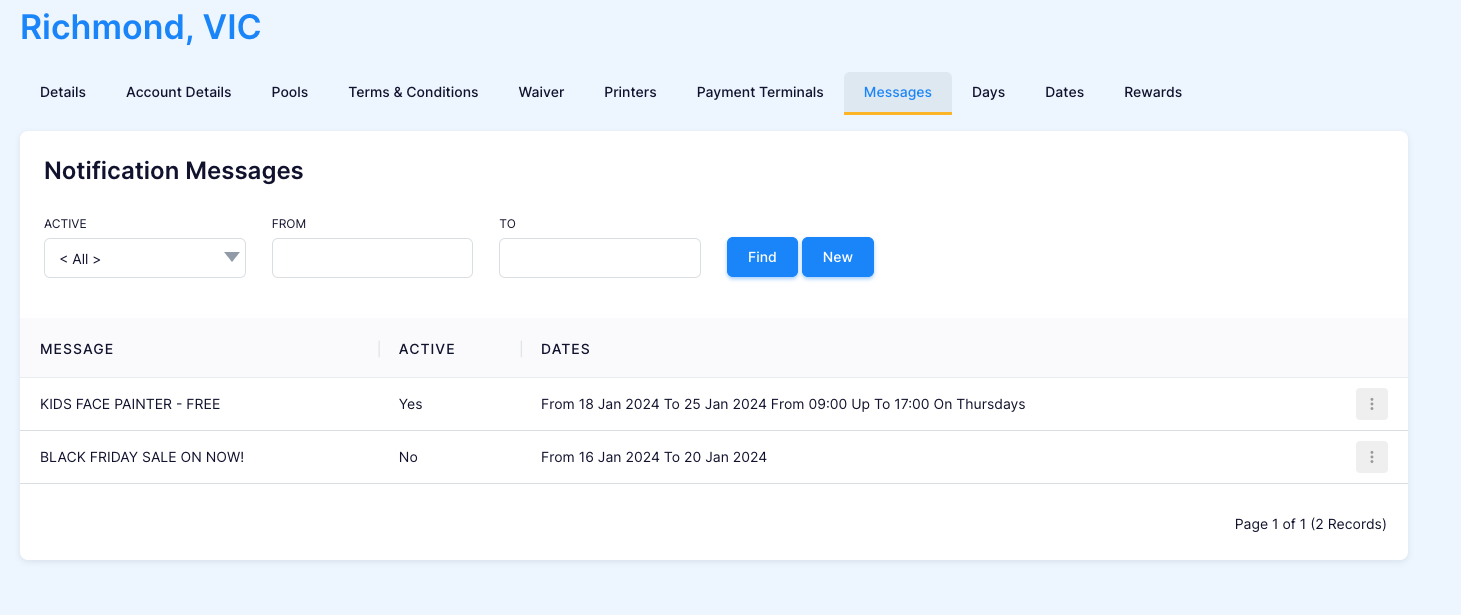
- Go to Settings > Locations > 'Messages' tab

- In the 'Messages' tab you can view created messages and you can add a new one by clicking 'New'
- Fill in the fields
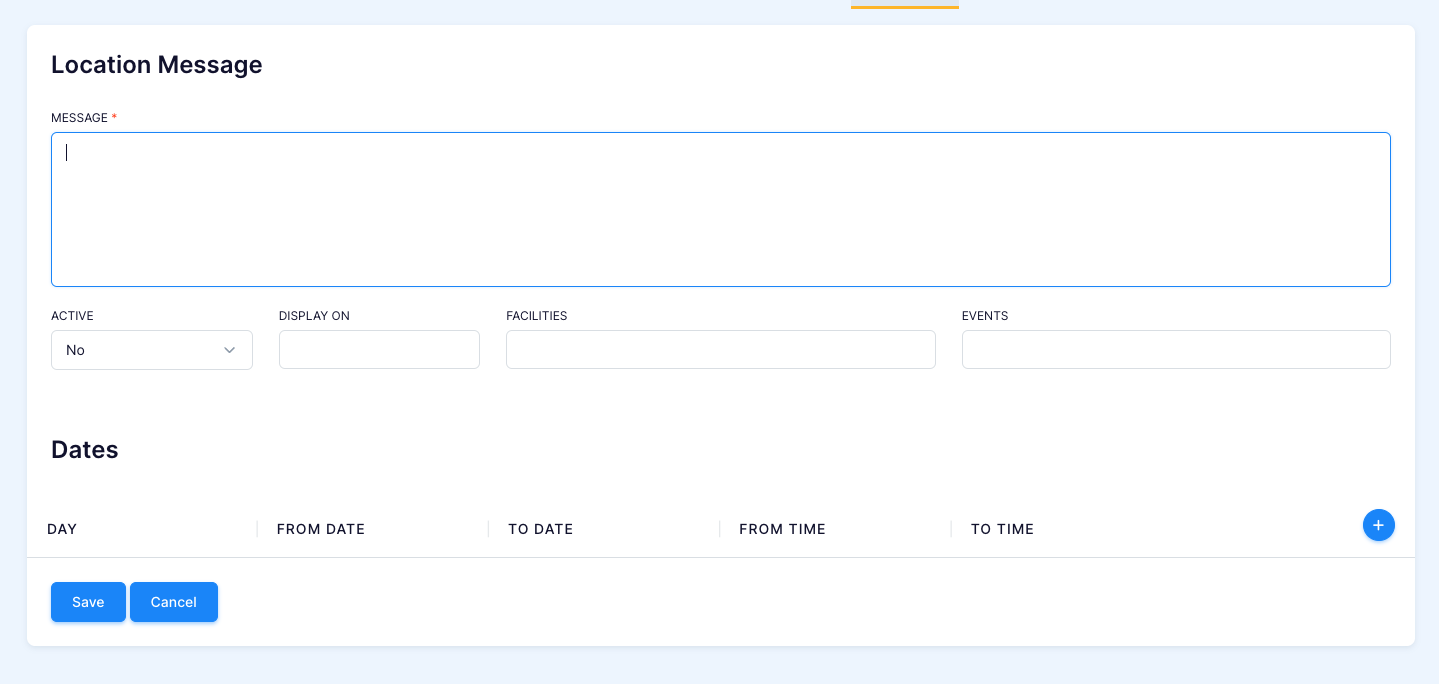
- Type in the message that you want to display
- Choose if you want it to be active currently
- Choose where you would like it to display

- Choose which facilities you would like the message to appear. If you would like it to be sitewide leave this blank.
- If it is event specific link it in the 'Events' field
- If there is specific days or a date range you would like it to appear enter restrictions under 'Dates'
- Make sure to save your changes and check out your new message!
