How to change the display order of the POS Products
Last updated: May 10, 2026
You may want to change the display order of products within your POS.
- You can do this easily by going to Operations > POS Facilities and selecting the POS Facility that holds the product.
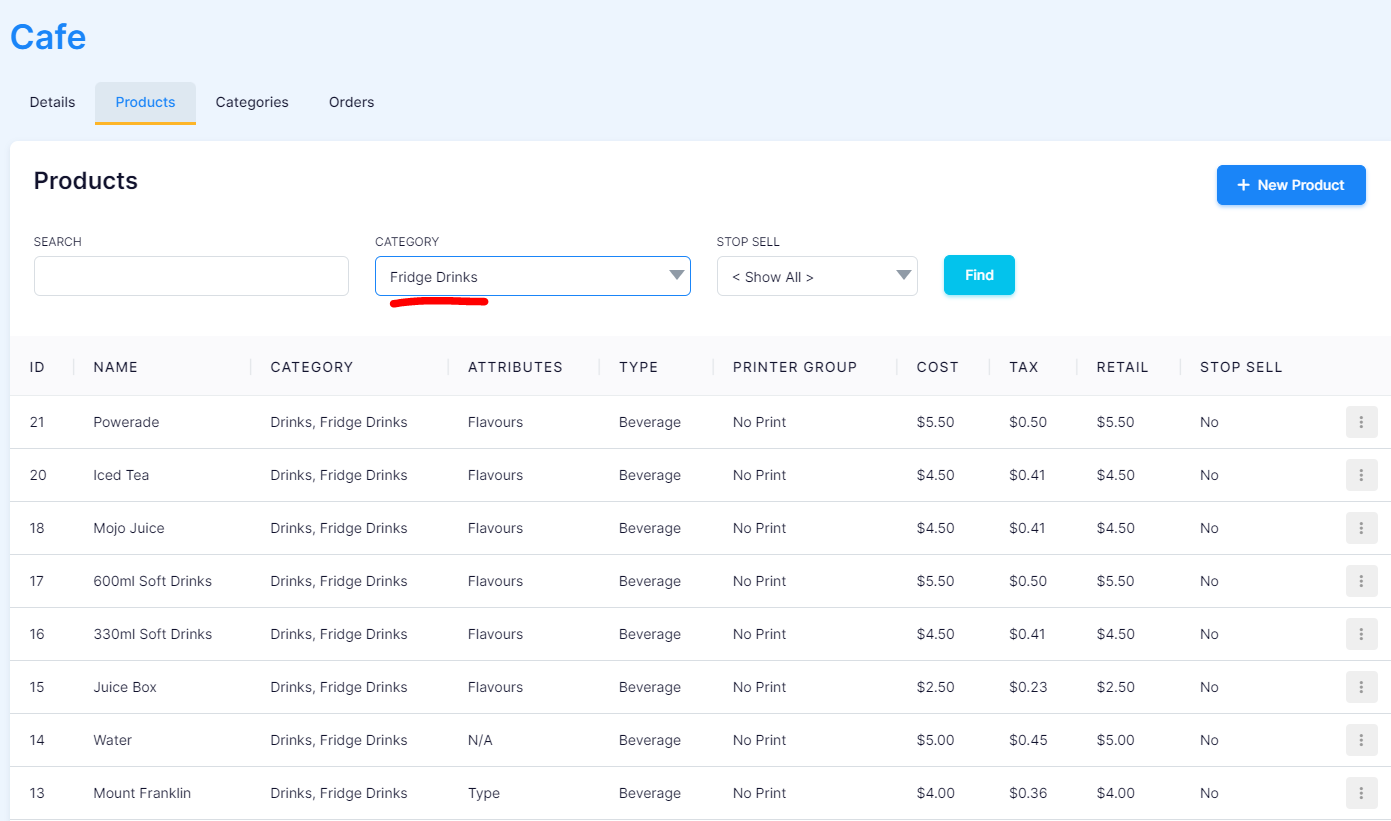
Below we have "Fridge Drinks".

- Within the "Products" section, filter the "Category" by "Fridge Drinks" to quickly locate the products you wish to change the order of.
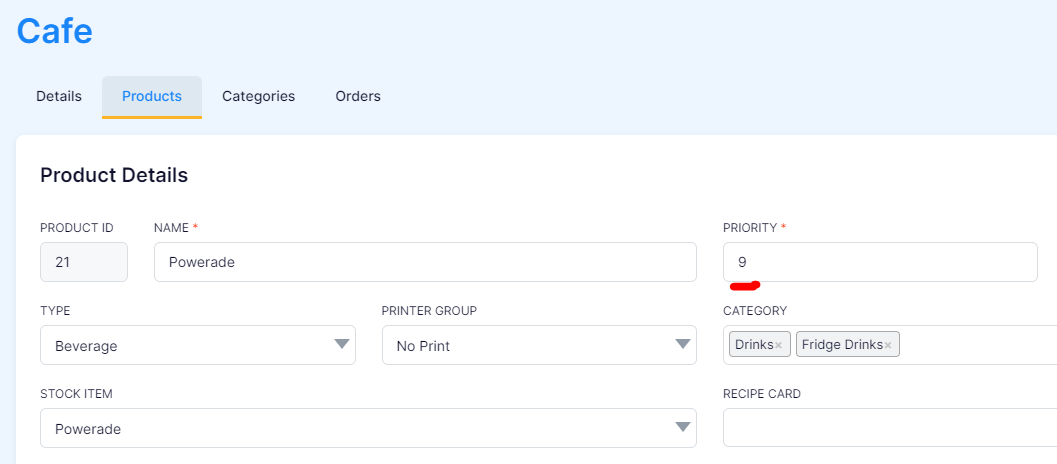
- To change "Powerade" to display first, we need to click "Edit" and change the "Priority" to "1" and "Save".
- Refresh the POS and check that the order has changed to what you wanted.
