How to add a session voucher to a facility
Last updated: May 9, 2026
VenueSumo's session vouchers are passes you can purchase for a facility that can be redeemed at a later date. Unlike giftcards that are a numeric value, session vouchers are activity focused. They can be used to upsell products + activites or sell a multi-visit pass.
To set up a session voucher for a facility go to Operations > Facility > choose the facility of choice.


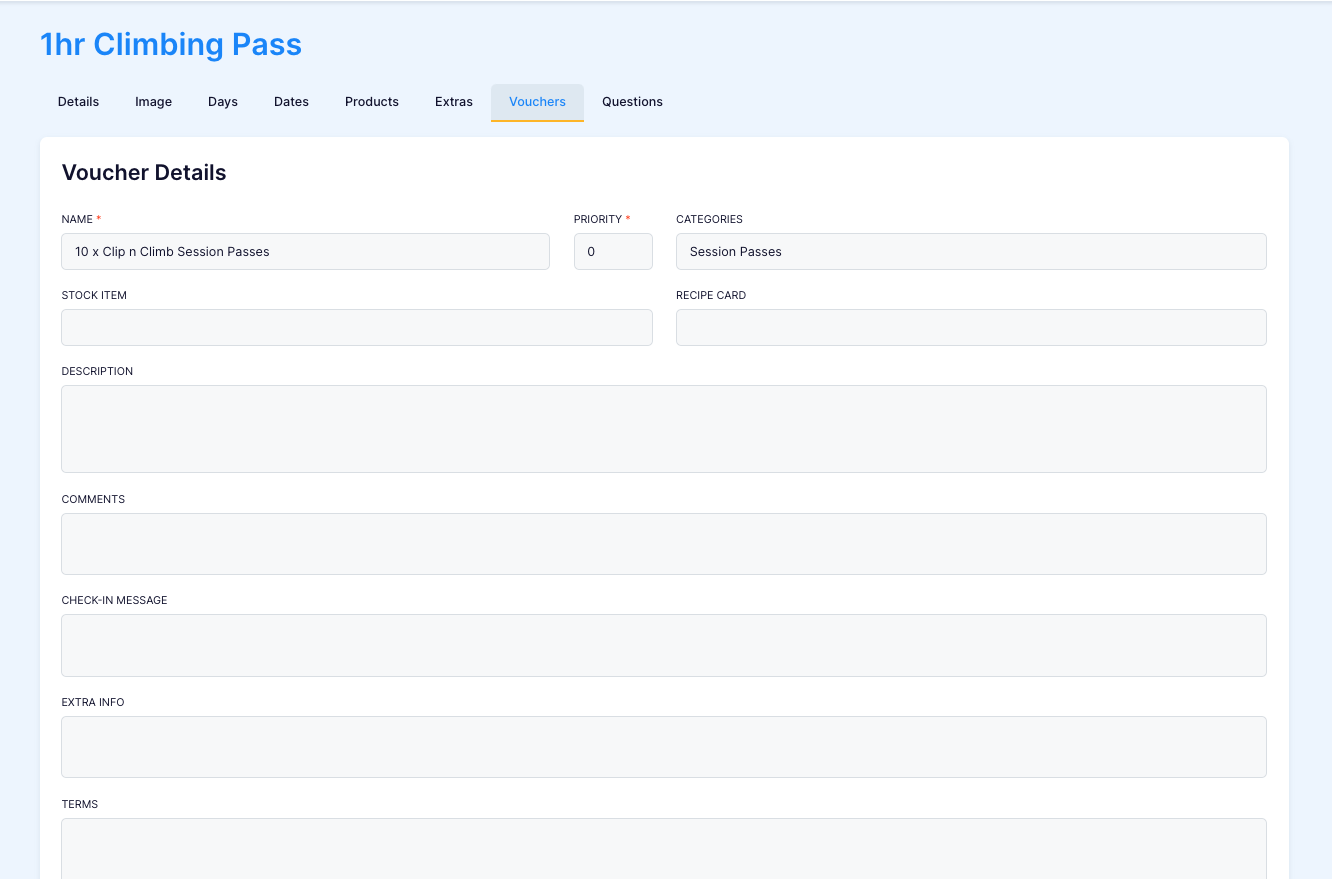
Go to the tab "Vouchers", here you can view current session vouchers or create a new one.

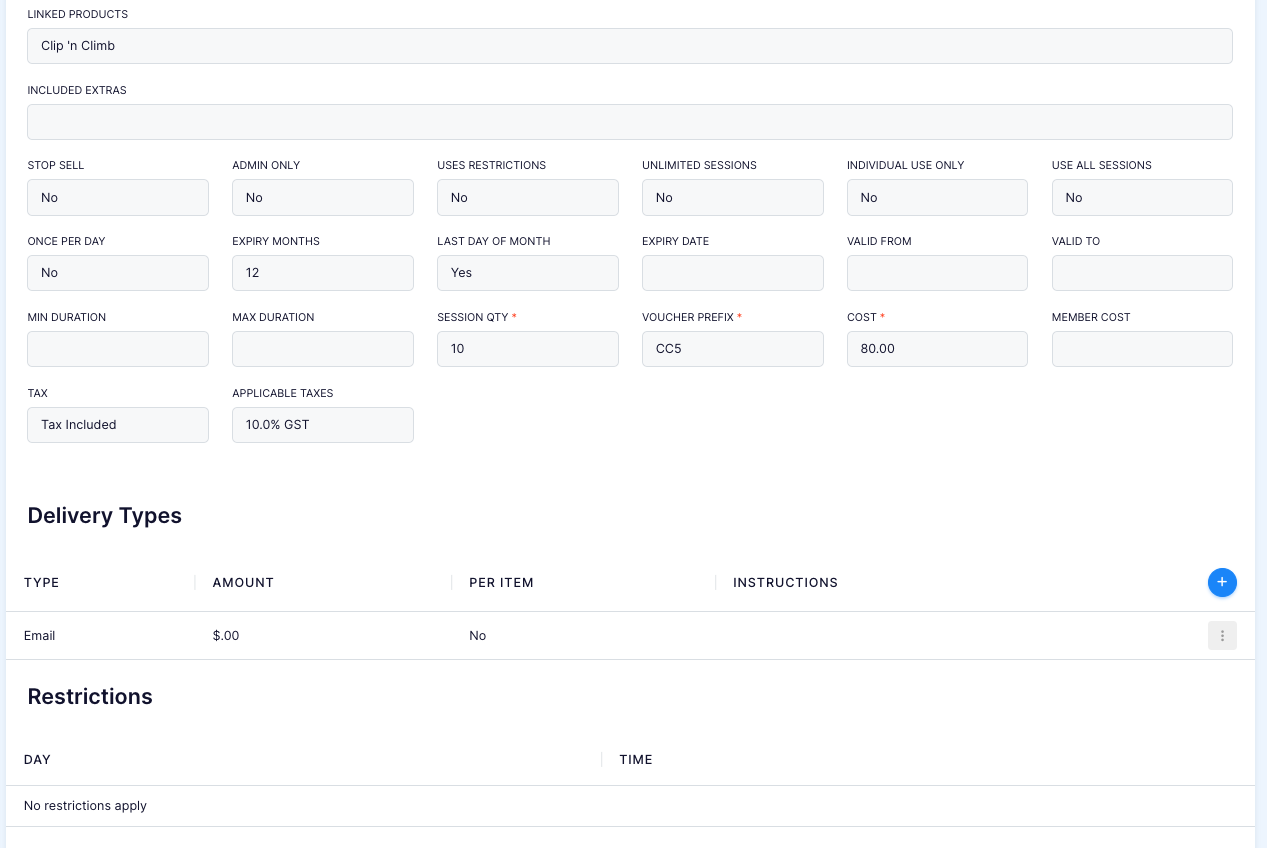
When adding a new voucher fill in the fields.
Mandatory fields include:
Name = Name of voucher
Priority = Display order in customer facing site
Session QTY = How many sessions can be redeemed from this voucher
Voucher prefix = First values of the voucher e.g VSSLFH68
Cost = Cost ofthe entire session voucher
Linked products = Select the products in which the voucher will be drawing its ticket from
Other Fields:
Categories = What category the voucher is grouped in
Extra Info = short sentence that is displayed next to the voucher prior to purchase
Unlimited sessions (If YES) = can be a pass that can be used unlimited amount of times in a date period.
Unlimited sessions (If NO) = can be a pass that can be used limited amount of times in a date period.
Expiry months = how many months until the pass expires.
Last day of month (If YES) = If the pass expires at the end of the month
Last day of month (If NO) = If the pass expires at exactly (x) months from purchase date
Member Cost = different price for members of the venue
Delivery type = if your offering delivery / email / pick up.
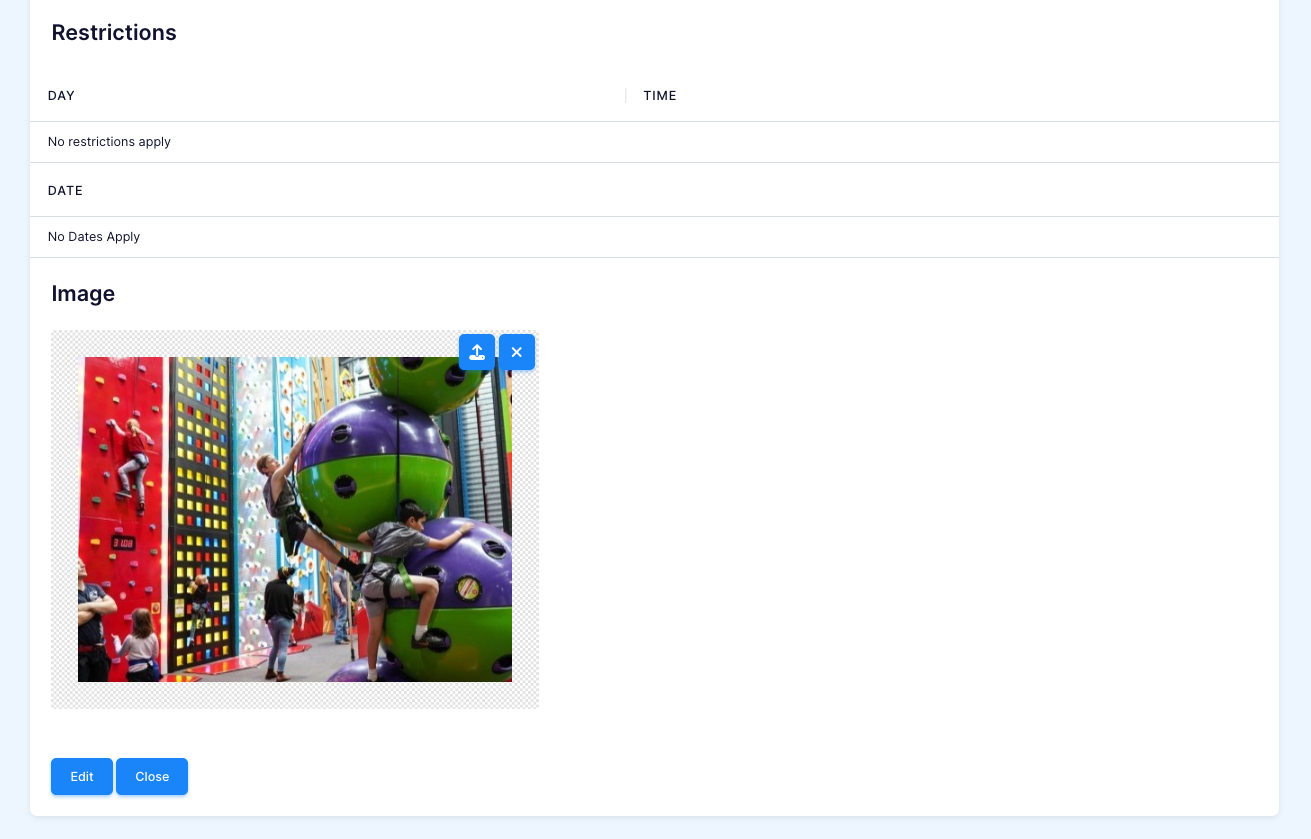
Restrictions = certain days that the voucher can't be redeemed.
Image = Uplaod a image for the customer facing site