How to add a miscellaneous extra in the back office
Last updated: May 9, 2026
- Search a previous made booking or create a new one.
- If a previous booking "Amend" the order and press "Same Date/ Time" or in a new booking go to Step 2 "Booking Details".

- Press "Add Extra"in the bottom left corner.
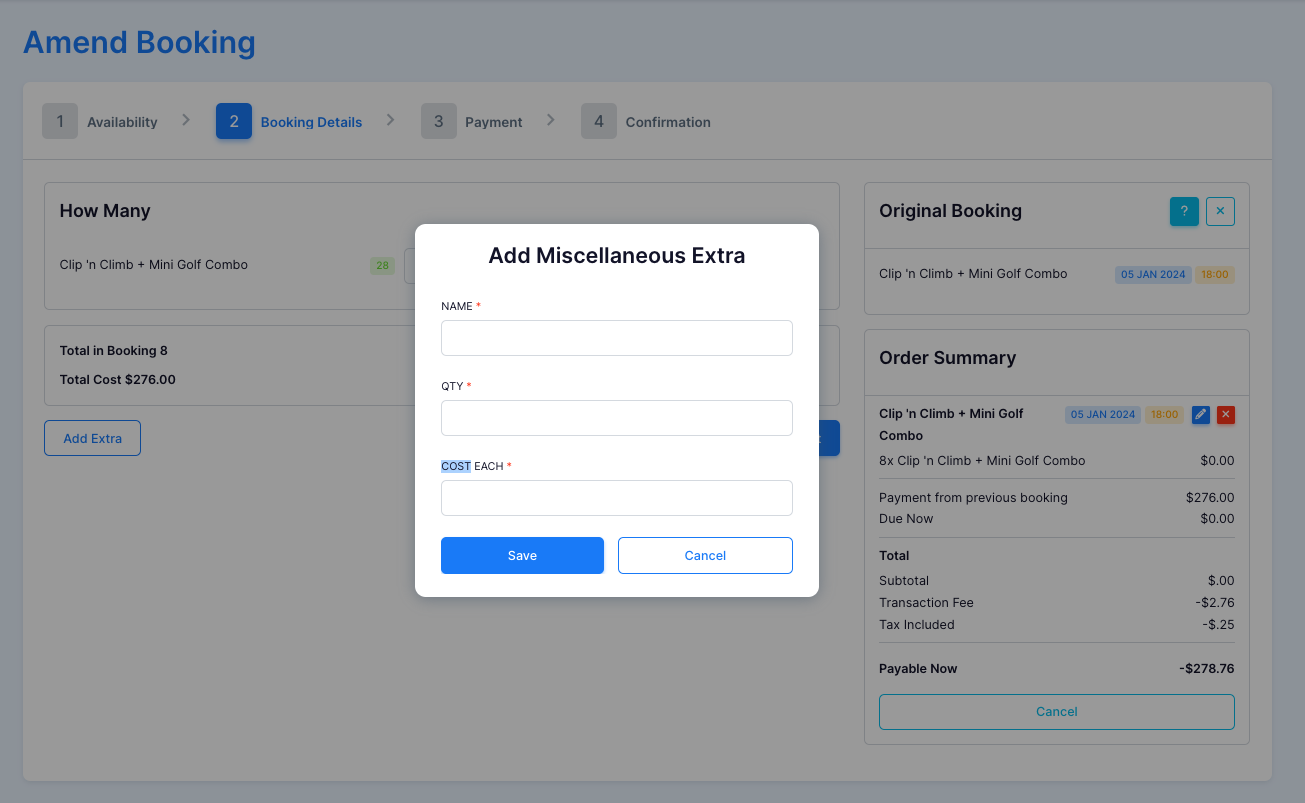
- Name your extra, add the quanity and the cost per item, then press save.
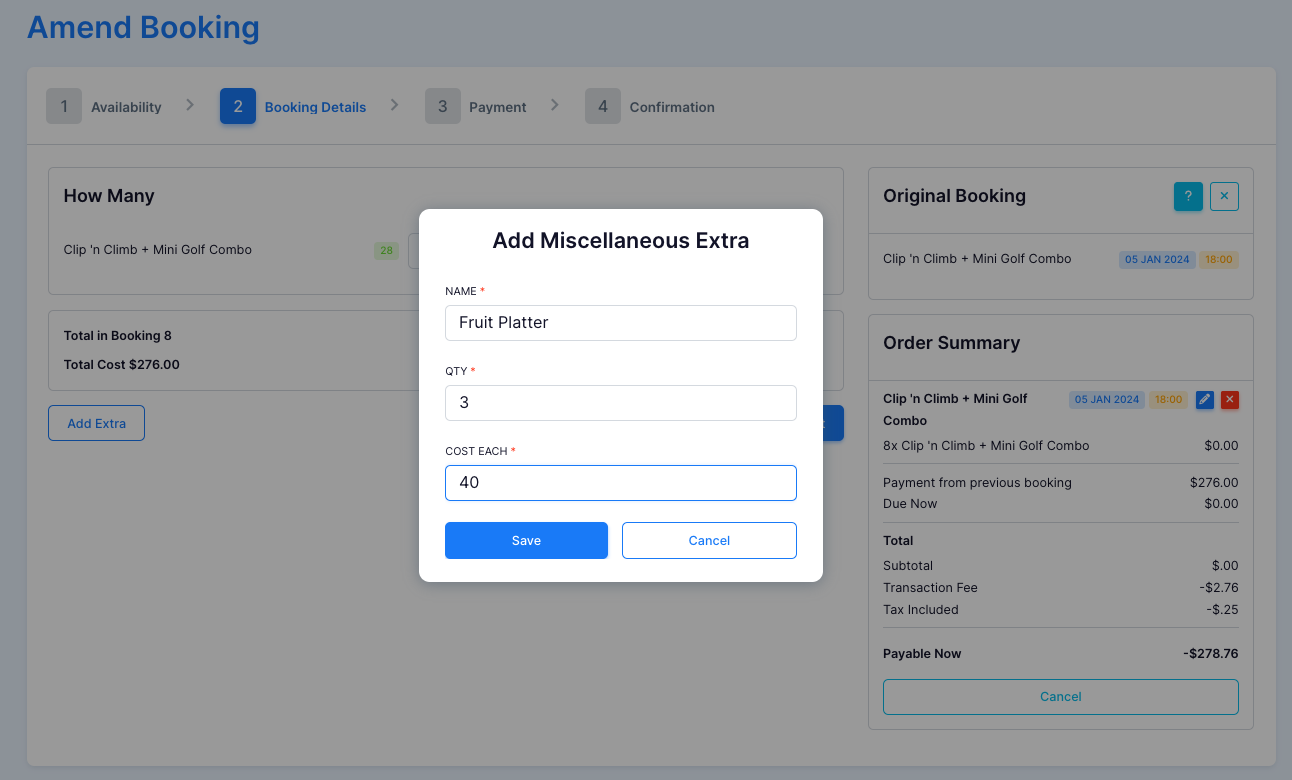
- Once saved the extra will be added and you can proceed to payment and confirmation.