Create a Pause Membership Fee
Last updated: May 10, 2026
Charging a Membership Pause fee is optional.
Once created, the fee is automatically added when a membership is paused.
- If paused via the Customer Portal, the fee will be applied and cannot be waived.
- If paused via the Back Office, the fee can be waived or deleted before the next billing cycle.
Go to:
Settings > Fees
Click on:
New Fee
Set Type:
Pause Membership
Other Variables:
You can configure whether the fee is a fixed amount or a percentage, and apply it as a flat fee or based on a time interval (per day, week, or month).
See the Settings – Fees article for details on each setting used when creating a new fee.
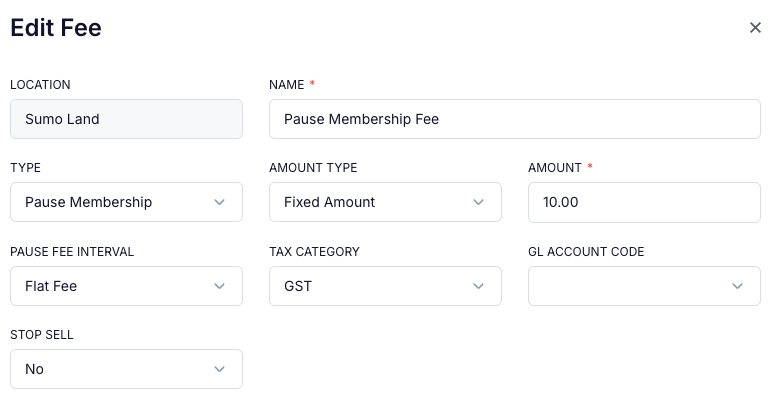
Example 1:
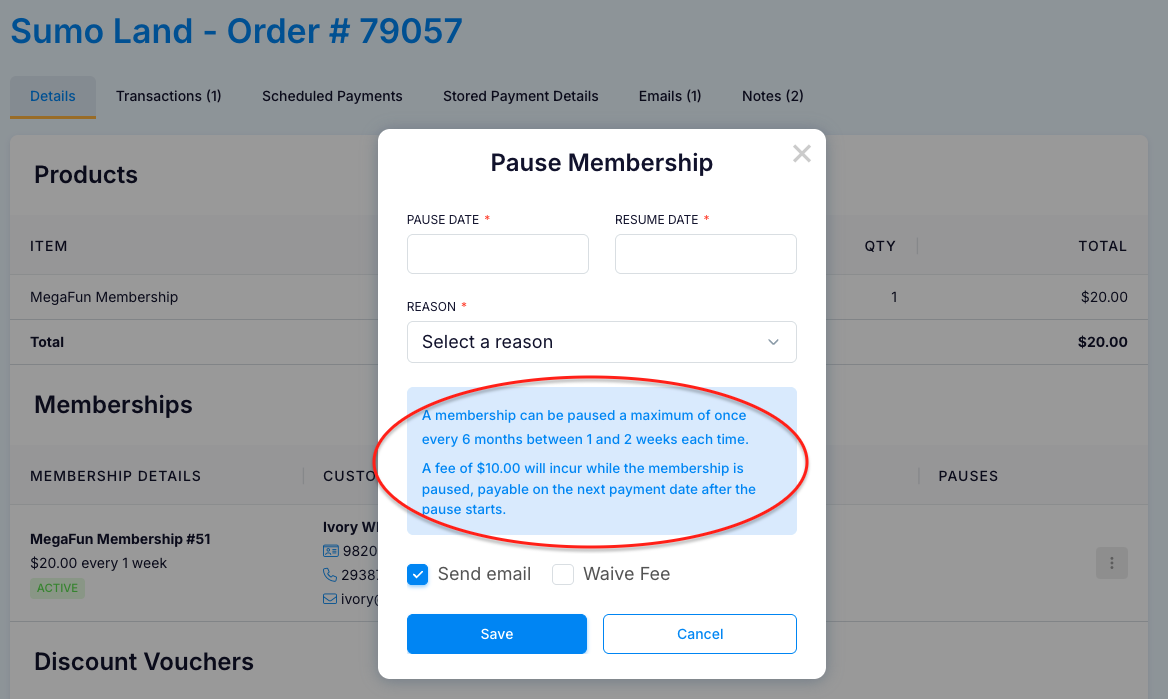
This Pause Membership Fee will be a $10 Flat Fee that is applied once each time a membership is paused
When a Membership is paused that has this fee, there will be a warning message displayed (Admin example):
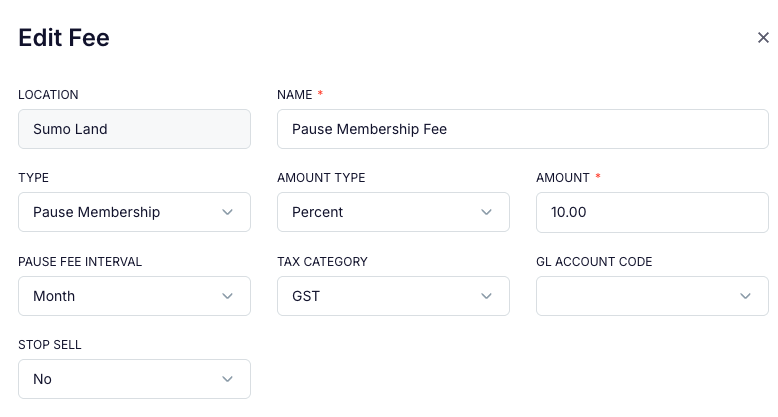
Example 2:
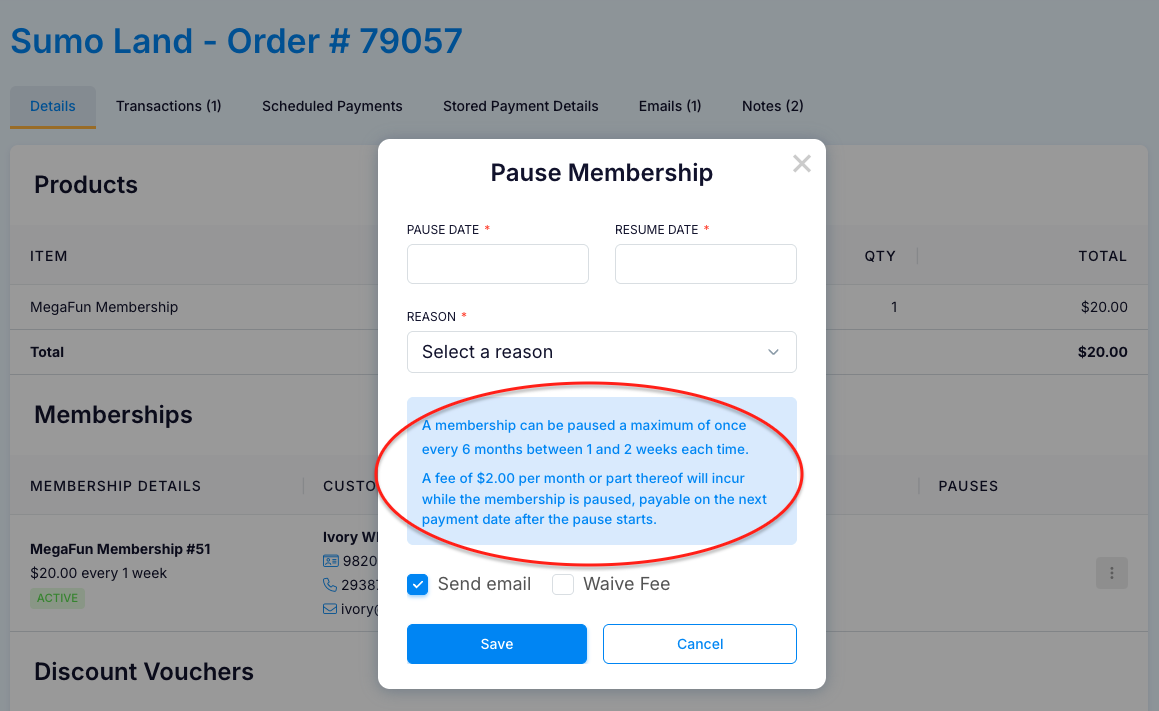
This Pause Membership Fee will be a worked out at 10% of the Periodic Membership Payment, which in this case is $20 every week.
The amount is accumulated for every month, or part thereof that the Membership is paused.
The Fee will be displayed in the Membership Order, and can be deleted if necessary:
