Two-Way SMS Communication in VenueSumo
Last updated: June 26, 2026
How customers receive messages
There are two ways customers receive SMS from your VenueSumo account:
Automated messages - sent automatically when a customer action is triggered (e.g. booking cancelled, payment failed). These fire based on the SMS templates you have set up in your account.
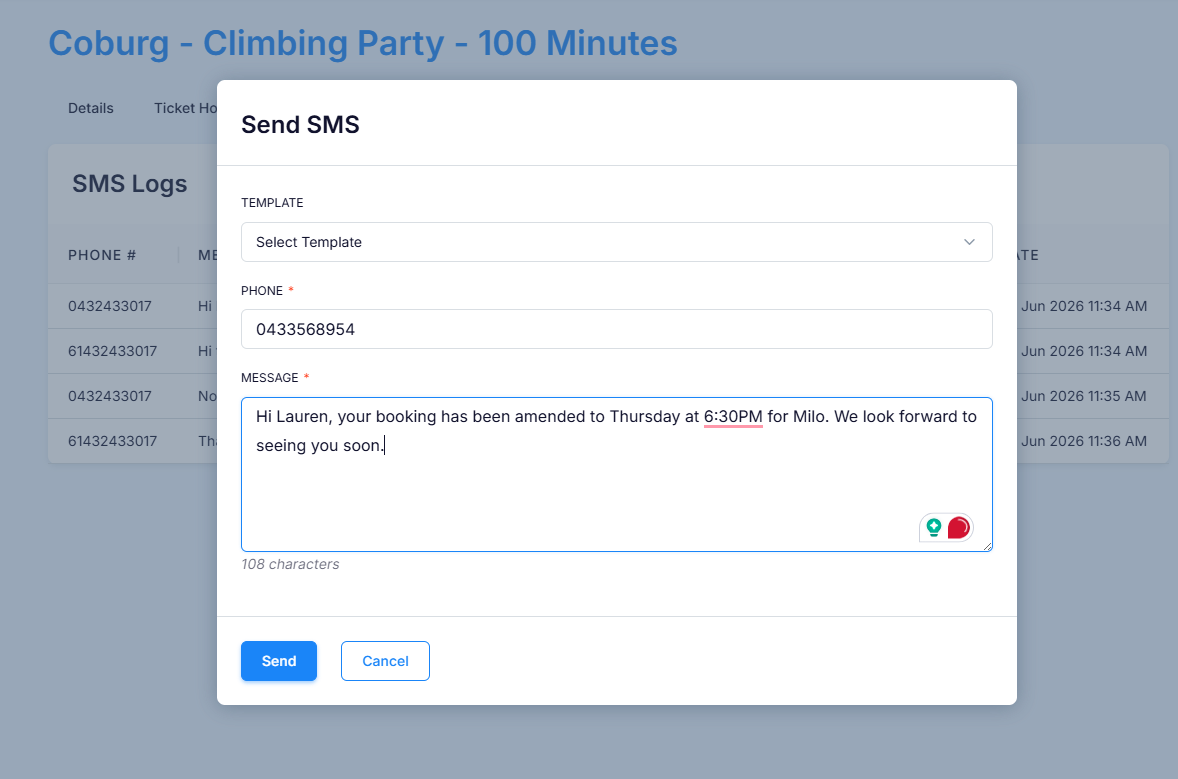
Manual messages - sent directly from a booking by your team at any time.
All messages are delivered to the customer's phone number on file.
How customers reply
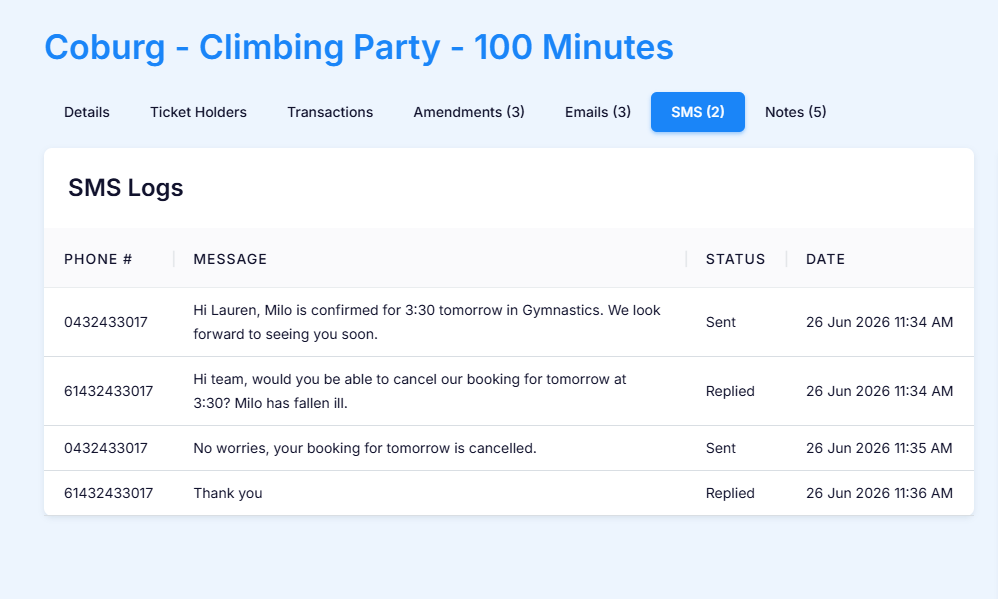
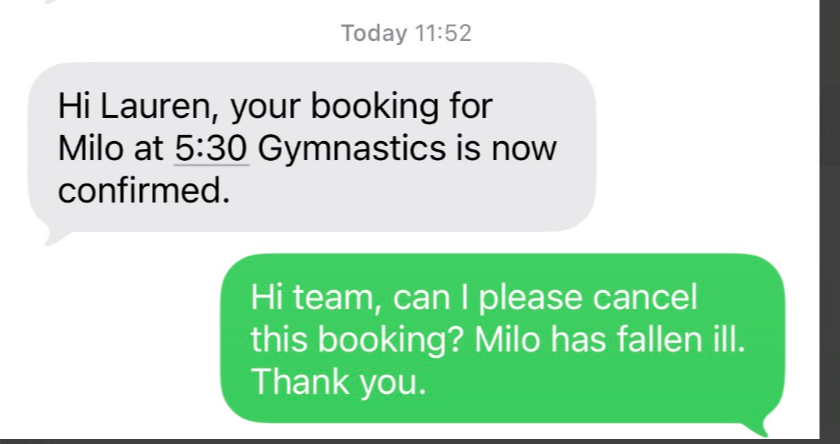
Customers can reply to any SMS just like a regular text message. Their reply is automatically logged against the booking record under the SMS tab, giving you a full conversation history in one place.
How your team gets notified
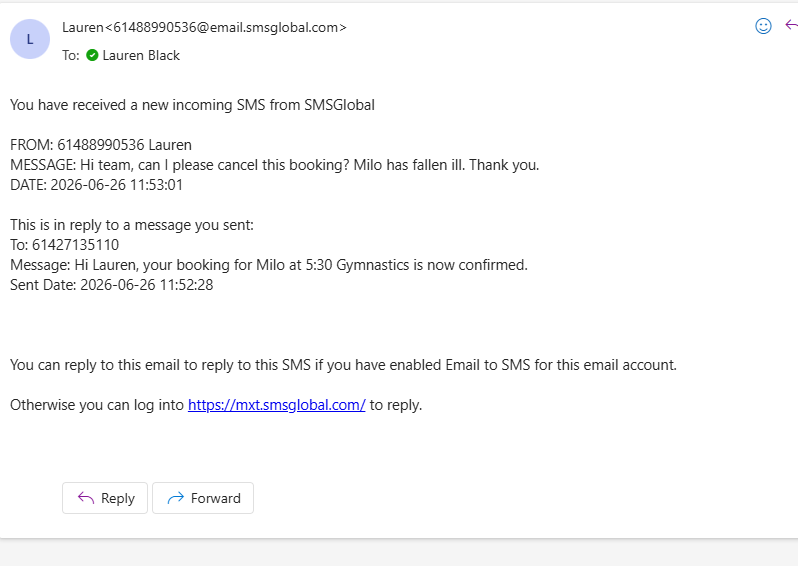
When a customer replies, your nominated email address will receive a notification from SMSGlobal. The notification includes the customer's reply and the original message it was sent in response to.
⚠ Do not reply directly from the email notification. The message will send, but it may display incorrectly on the customer's end.
How to respond to a customer reply
The best way to respond is directly from the booking in VenueSumo:
Go to Customers and search in View Customers by booking name or phone number
Open the booking and click the SMS tab
Review the full conversation including outbound messages, customer replies, and timestamps
Click Actions > Send SMS to compose and send your response
Confirm the status shows Sent in the SMS logs
This keeps all communication threaded, timestamped, and visible to your whole team.